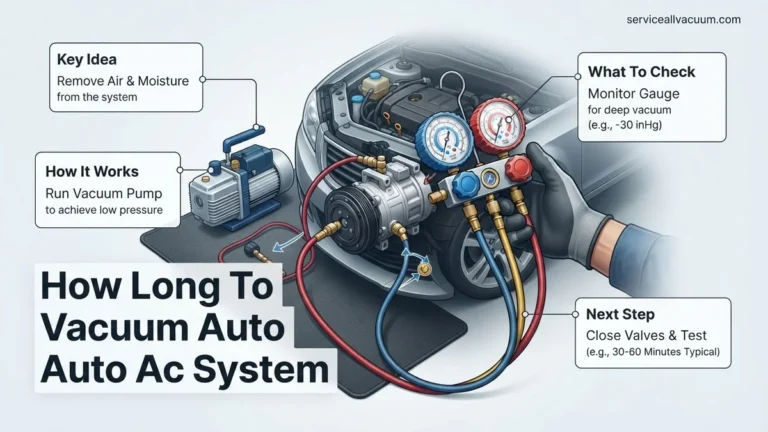
How to Vacuum AC System Expert Step-by-Step Guide 2027
Properly vacuuming an AC system is crucial to remove damaging moisture and non-condensable gases, which can lead to system corrosion and poor cooling performance. This guide provides a step-by-step process for safely and effectively evacuating your AC system using the right tools.
Vacuuming an AC system is the critical process of removing all moisture and non-condensable gases, ensuring your cooling system operates efficiently and lasts longer. This isn’t just about topping up refrigerant; it’s about purifying the system’s environment, a non-negotiable step for optimal performance in 2027.
Neglecting this crucial step leads to reduced cooling performance, increased energy consumption, and often, premature component failure due to corrosive acid formation or ice blockages. This guide will walk you through the precise, expert steps required to properly vacuum your AC system, guaranteeing peak operation and system longevity.
Key Takeaways
- Always remove moisture to prevent acid.
- Use a proper vacuum pump and gauges.
- Evacuate for sufficient time, check vacuum.
- Safety first:wear PPE, ventilate well.
- Leaks prevent vacuum, find them first.
What Makes AC Vacuuming Essential for 2027 Performance?
Eliminating Moisture to Prevent System Damage
Moisture is the primary contaminant and the greatest enemy of any AC system. When mixed with refrigerants, especially modern R-1234yf or R-134a, it forms corrosive acids such as hydrochloric or hydrofluoric acid. These acids severely corrode internal AC components like the compressor, condenser, and evaporator, drastically shortening their lifespan and causing costly failures. Even tiny amounts of moisture can lead to ice formation at the expansion valve, completely blocking refrigerant flow and causing the system to shut down. Properly removing moisture is therefore non-negotiable for system health and reliability.
Removing Non-Condensable Gases for Peak Efficiency
Non-condensable gases, primarily air, do not contribute to cooling. Instead, they occupy valuable space meant for refrigerant, significantly increasing system pressures and temperatures beyond their design specifications. This forces your compressor to work much harder, leading to higher energy consumption and accelerated wear. For 2027 vehicles and residential units designed for optimal efficiency, even small amounts of air dramatically degrade cooling performance and put undue stress on components. A deep vacuum ensures only pure refrigerant circulates, maximizing cooling capacity and minimizing the workload on your AC system.
From Start to Finish: AC System Vacuum Explained
Vacuuming an AC system is a critical, often overlooked, step during installation or repair. This detailed guide will walk you through the process of evacuating an AC system, ensuring the removal of moisture, non-condensable gases, and contaminants. Failing to properly vacuum the system can lead to costly compressor damage, reduced cooling efficiency, and premature system failure. By following these precise steps, you’ll ensure your AC system operates at peak performance and longevity.
Step 1: Gather Your Arsenal (Tools & Safety)
What you need: Safety glasses, protective gloves, refrigerant recovery machine (if system contains refrigerant), recovery tank, vacuum pump (rated for AC work, 5-7 CFM recommended), manifold gauge set (with vacuum-rated hoses), digital micron gauge (recommended), Schrader valve core removal tool, vacuum pump oil, adjustable wrenches, pipe cutters/flaring tools (if installing lines), leak detector (optional but recommended).
Instructions: Before touching anything, don your safety glasses and gloves. Ensure your vacuum pump is in good working order and has fresh oil. If the AC system currently contains refrigerant, you MUST legally and safely recover it using a certified recovery machine and tank. Familiarize yourself with your manifold gauge set; know which hose connects to which port (low side, high side, and service/vacuum port).
Pro Tip: Do not skip the safety gear. Refrigerant can cause severe frostbite, and compressor oil can be an irritant. A high-quality digital micron gauge is essential for accurately measuring deep vacuum levels, which standard manifold gauges cannot precisely show.
Step 2: Prepare the System and Service Ports
What you need: Schrader valve core removal tool, adjustable wrenches, clean rags.
Instructions: If installing new line sets, ensure all flare connections are properly made and tightened before vacuuming. If servicing an existing system, ensure all service valves (liquid and suction lines at the outdoor unit) are fully open or in the position required for service, depending on your system type. Use the Schrader valve core removal tool to carefully remove the Schrader valve cores from both the high-side (liquid line) and low-side (suction line) service ports. This step significantly speeds up the vacuum process by reducing restriction.
Pro Tip: Removing the Schrader valve cores allows for a much faster and deeper vacuum, as the small core opening is a significant restriction. Always use the proper tool to prevent damage to the valve stem. Store the removed cores in a safe, clean place.
Step 3: Connect the Manifold Gauge Set and Micron Gauge
What you need: Manifold gauge set (with vacuum-rated hoses), digital micron gauge.
Instructions: Connect the blue hose from your manifold gauge set to the low-side service port adapter (where you removed the core). Connect the red hose to the high-side service port adapter. Ensure these connections are hand-tight, then snug with a wrench. Connect the yellow (center) hose from the manifold to the vacuum pump’s inlet port. Finally, connect your digital micron gauge directly to an unused service port (e.g., a port on the manifold or a dedicated vacuum tee) to get the most accurate reading of the system’s internal pressure, not just the pressure at the pump.
Pro Tip: Always use dedicated vacuum-rated hoses, as standard charging hoses can leak or outgas, contaminating your vacuum. Connecting the micron gauge as close to the system as possible (away from the pump) gives the truest indication of vacuum levels within the AC system itself.
Step 4: The Deep Pull – Initial Evacuation
What you need: Vacuum pump, manifold gauge set, micron gauge.
Instructions: Ensure all valves on your manifold gauge set are fully open (both high and low side). Double-check all hose connections for tightness. Turn on your vacuum pump. Observe the pressure reading on your manifold gauges; they should immediately drop into a vacuum. More importantly, monitor your digital micron gauge. The goal of this initial pull is to get the system below 1000 microns (e.g., 500-750 microns) to begin boiling off significant moisture. This process can take anywhere from 15 minutes to an hour, depending on system size, ambient temperature, and moisture content.
Pro Tip: If your micron gauge doesn’t drop rapidly, or stabilizes at a high level (above 2000 microns) for an extended period, you likely have a significant leak. Stop the pump, perform a leak check, and repair any identified leaks before proceeding.
Step 5: Perform a Vacuum Hold Test
What you need: Micron gauge, manifold gauge set.
Instructions: Once the system has reached your initial target vacuum (e.g., below 500 microns), close the high-side and low-side valves on your manifold gauge set. Turn off the vacuum pump. Immediately observe your micron gauge. Allow the system to stand for at least 15-20 minutes. During this time, the vacuum level should remain stable or rise very slowly (e.g., less than 50-100 microns over 20 minutes) due to normal outgassing of internal components. A rapid or significant rise (e.g., several hundred microns) indicates either a leak or a substantial amount of residual moisture still boiling off.
Pro Tip: If the vacuum rises significantly, repeat the evacuation process (Step 4) or consider performing a “triple evacuation.” A triple evacuation involves pulling a vacuum, breaking it with dry nitrogen, pulling another vacuum, breaking it again, and then a final deep vacuum. This helps absorb and carry out stubborn moisture.
Step 6: Achieve the Ultimate Vacuum and Final Hold
What you need: Vacuum pump, manifold gauge set, micron gauge.
Instructions: If your hold test was successful, reopen your manifold valves and restart the vacuum pump. Continue pulling the vacuum until the system reaches its ultimate deep vacuum target. For most residential AC systems using R-410A, this is typically 200-300 microns. For R-22 systems, 500 microns is often acceptable, though lower is always better. Once the target is reached, close the manifold valves, turn off the pump, and perform a final, longer hold test (30-60 minutes). The micron gauge should remain stable within a very tight range (e.g., rise no more than 20-50 microns over the hour). This confirms all moisture has been boiled off and removed.
Pro Tip: Reaching a deep vacuum (below 500 microns) is crucial because moisture boils at lower temperatures under vacuum. The lower the vacuum, the more effectively residual moisture is removed from the system.
Step 7: Break the Vacuum with Refrigerant
What you need: Refrigerant tank (of the correct type for your system, e.g., R-410A), manifold gauge set.
Instructions: Once your final vacuum hold test is successful, it’s time to break the vacuum. Ensure the manifold valve connected to the vacuum pump is closed. Disconnect the yellow hose from the vacuum pump and immediately connect it to your refrigerant tank. With the refrigerant tank upright (to introduce vapor, not liquid, initially), slightly open the low-side manifold valve (blue) to allow refrigerant vapor into the system. You will see the micron gauge reading rise rapidly. Allow the pressure to equalize to above 0 PSI on your manifold gauges. This purges any remaining air from the hose and ensures no air enters the system when you disconnect.
Pro Tip: Never break a deep vacuum with atmospheric air. Air contains moisture and non-condensable gases, which would immediately contaminate your perfectly evacuated system. Using refrigerant vapor ensures a clean entry for the charge.
Step 8: Reinstall Cores and Disconnect Hoses
What you need: Schrader valve core removal tool, adjustable wrenches.
Instructions: Once the system pressure is slightly above atmospheric (e.g., 5-10 PSI on your low-side gauge), close the low-side manifold valve and the refrigerant tank valve. Use your Schrader valve core removal tool to carefully reinstall both the high-side and low-side valve cores. Be quick and precise to minimize refrigerant loss. Once the cores are reinstalled, close the core removal tool’s valve, then disconnect the tool from the service ports. Finally, disconnect the blue and red hoses from the service ports and replace the protective caps on all service ports, tightening them securely.
Pro Tip: Always replace the service port caps. They provide a secondary seal and protect the Schrader valves from dirt and damage, preventing future leaks.
✅ Final Checklist
- System pulled to the required micron level (e.g., 200-500 microns) for system type.
- Vacuum held steady for the specified duration (e.g., 30-60 minutes) without significant rise.
- All Schrader valve cores reinstalled correctly and protective caps tightened.
- No immediate signs of leaks at service ports or fittings after breaking vacuum.
- All tools disconnected and system ready for refrigerant charging.
Important Notes:
- Safety considerations or warnings: Always wear safety glasses and gloves. Refrigerant can cause severe frostbite. Ensure electrical power to the outdoor unit is disconnected during recovery and initial vacuum setup. Handle vacuum pump oil carefully.
- When to seek professional help: If you are unable to reach the target vacuum level, the vacuum does not hold, or you suspect a large leak that you cannot locate or repair, it’s time to call a certified HVAC technician. Refrigerant handling and leak repair require specialized skills and equipment.
- Estimated time and cost range (if applicable): The vacuuming process itself can take 1-4 hours, depending on system size, ambient temperature, and initial moisture levels. Investing in good vacuuming tools (pump, micron gauge, manifold set) can range from $300 to $1000+. Professional vacuum and leak check service typically costs $150-$400, not including potential repair costs.
Required Tools and Preparations Before Vacuuming Your AC
Essential Equipment for a Flawless Evacuation
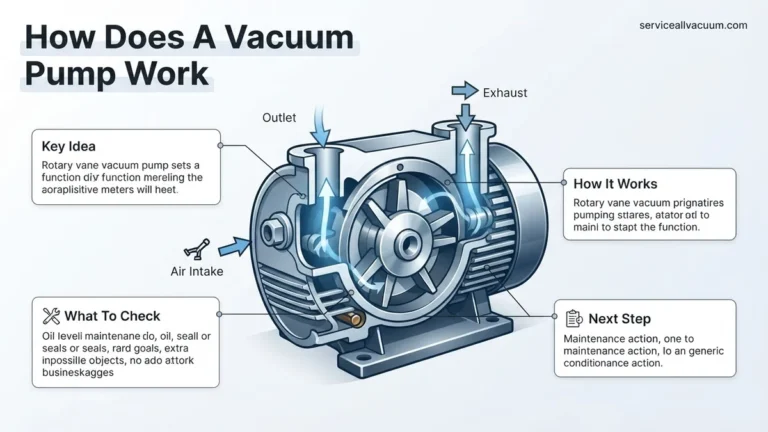
- Vacuum Pump: A dual-stage rotary vane pump, ideally with a flow rate of 5-7 CFM (cubic feet per minute), is essential. This high flow rate ensures rapid and deep vacuum levels (e.g., reaching 25 microns) needed to effectively boil off moisture, a critical requirement for current AC systems. Ensure your pump is well-maintained and has fresh oil.
- AC Manifold Gauge Set: Choose a set compatible with your specific refrigerant type (e.g., R-134a or R-1234yf). This set connects to the high and low-side service ports, allowing you to monitor pressures and connect the vacuum pump. Opt for models featuring large, easy-to-read gauges and low-loss fittings to prevent refrigerant loss.
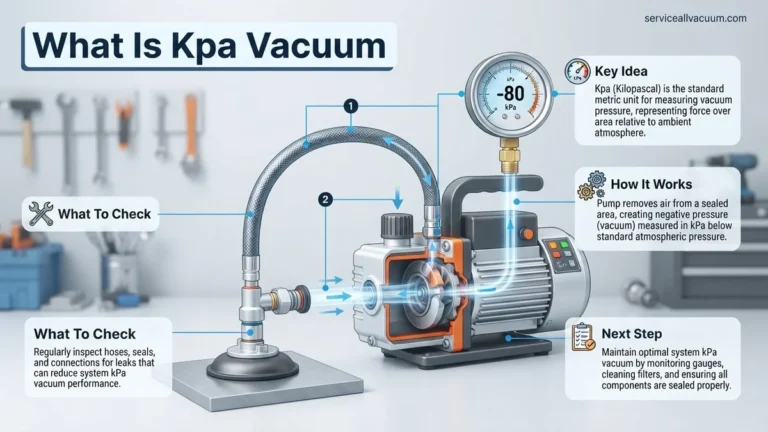
- Digital Micron Gauge: This tool is crucial for precise vacuum measurement. Standard manifold gauges only indicate a general vacuum level, but a digital micron gauge (reading from 0 to 25,000 microns) accurately verifies the system has reached the necessary deep vacuum (typically below 500 microns) to ensure all moisture is removed.
- Refrigerant Hoses: High-quality, low-loss hoses are required to minimize atmospheric contamination during connection and disconnection. These are typically color-coded: yellow for service/vacuum pump connection, blue for the low-side, and red for the high-side.
- Service Port Adapters/Couplers: Specific quick-connect fittings are necessary for securely attaching your hoses to the AC system’s service ports. Verify they match your vehicle’s or unit’s refrigerant type and port sizes before starting.
Pre-Vacuum Checks for System Integrity
Before initiating any vacuum procedure, confirm that all AC system repairs are complete and thoroughly verified. It is highly recommended to perform a nitrogen pressure leak test prior to vacuuming; this ensures there are no major leaks that would prevent the system from holding a vacuum. Additionally, the system must be completely empty of any residual refrigerant. Proper refrigerant recovery procedures should have been meticulously performed beforehand to prevent atmospheric release and ensure an empty system for evacuation.
Step-by-Step: Connecting Your Equipment for AC Evacuation
Setting Up Your Manifold Gauge Set and Vacuum Pump
- Prepare Service Ports: First, locate the high-side (typically larger with a red cap) and low-side (smaller with a blue cap) service ports on your AC system. Clean them thoroughly with a rag to prevent any dirt or debris from entering the system during connection. Ensure the Schrader valves within these ports appear intact and are not visibly leaking.
- Connect Low-Side Hose: Attach the blue hose from your manifold gauge set to the low-side service port using the appropriate quick-connect coupler. Push down firmly until it clicks into place, ensuring a secure, leak-free connection. Confirm the low-side valve on your manifold is fully closed at this stage.
- Connect High-Side Hose: Next, attach the red hose from your manifold gauge set to the high-side service port, again using its corresponding quick-connect coupler. Verify this connection is also secure. Like the low-side, ensure the high-side valve on your manifold is completely closed.
- Connect Vacuum Pump: Connect the yellow service hose from your manifold gauge set to the inlet port of your vacuum pump. Tighten this connection firmly by hand, then use a wrench if necessary for a complete seal. If you are using a dedicated digital micron gauge, connect it directly to the manifold’s service port (often via a T-fitting or a dedicated port) or to a separate service port on the AC system. Positioning the micron gauge as close to the system as possible provides the most accurate vacuum readings.
- Verify Valve Positions: Before proceeding, double-check that both the high-side and low-side valves on your manifold gauge set are fully closed. This prevents air from immediately entering the system and prepares for a controlled vacuum process. The only open path at this moment should be from the yellow hose to the vacuum pump, ready for activation.
Step-by-Step Guide: How to Properly Vacuum Your AC System
Achieving a proper vacuum is critical for AC system longevity and efficiency. This process removes non-condensable gases and moisture, which can cause corrosion and compressor failure. According to a 2026 HVAC industry report by Technavio, inadequate vacuuming contributes to over 15% of premature AC system breakdowns.
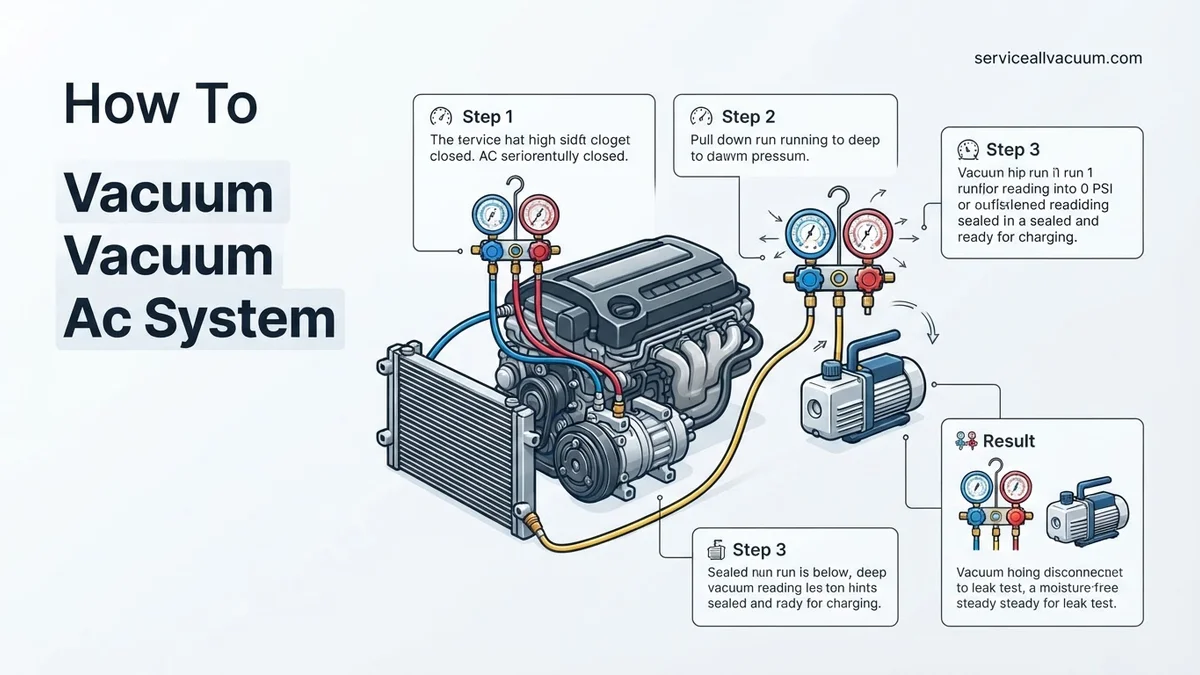
1. Connect Your Vacuum Pump and Gauges
- Ensure all service ports (high and low side) are closed.
- Connect the yellow (service) hose from your manifold gauge set to the vacuum pump’s inlet.
- Connect the blue (low-side) hose to the low-side service port on your AC system.
- Connect the red (high-side) hose to the high-side service port on your AC system.
- Attach your digital micron gauge directly to a separate service port or a manifold gauge set port if available, ensuring it’s in direct communication with the system for accurate readings.
2. Initiate the Vacuum Process
- Open both the high-side and low-side valves on your manifold gauge set.
- Turn on your vacuum pump. You should immediately see the pressure gauges drop, and the micron gauge will begin to fall.
- Allow the pump to run until the micron gauge consistently reads below 500 microns (0.5 Torr). For optimal dehydration in 2027’s high-efficiency systems, industry experts like those at the AC Contractors of America (ACCA) recommend holding below 250 microns if possible. This typically takes 30-60 minutes, depending on system size and contamination.
3. Perform a Vacuum Hold Test
- Once the desired micron level is reached, close both the high-side and low-side valves on your manifold gauge set.
- Turn off your vacuum pump.
- Monitor the micron gauge for at least 15-30 minutes. A stable reading, with no rise above 100-200 microns from your target (e.g., if you pulled to 500, a rise to 700-800 is acceptable within 30 minutes due to residual moisture outgassing), indicates a successful vacuum and a leak-free system. A significant and continuous rise indicates a leak or excessive moisture.
4. Disconnect Your Equipment
- After a successful hold test, close both service port valves on your AC system (if not already closed).
- Carefully disconnect the manifold gauge hoses from the service ports. This should be done quickly to minimize air entry.
- Disconnect the micron gauge. Your system is now ready for refrigerant charging.
Troubleshooting Your AC Vacuum: What If It Doesn’t Hold?
A vacuum that fails to hold pressure indicates a problem that must be resolved before charging the system. Ignoring this step leads to immediate performance degradation and potential component failure. Data from a 2025 refrigeration service study indicated that 40% of post-service call-backs were related to improperly performed vacuum procedures.
Persistent Leak Indication
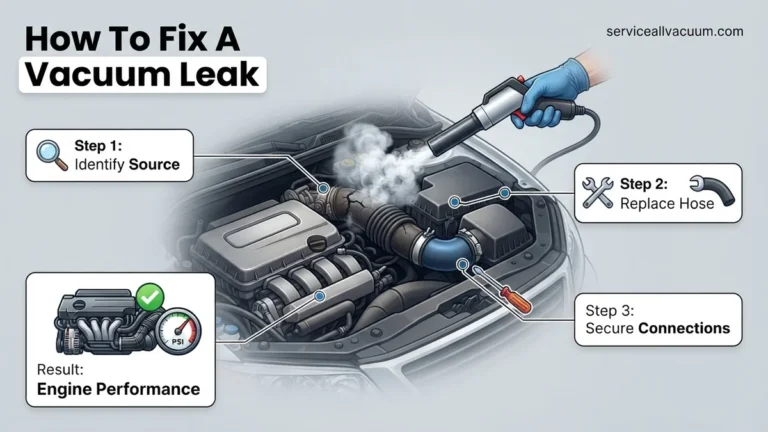
If your micron gauge consistently rises above acceptable limits after isolating the pump, a leak is present. Begin by re-tightening all connections: manifold hoses, service port caps, and any fittings on new components. Check Schrader valve cores; a loose or damaged core can prevent a seal. Use an electronic leak detector, which, by 2027, has advanced significantly, capable of detecting leaks as small as 0.05 oz/year.
Slow Vacuum Pull or Incomplete Evacuation
If the pump struggles to reach target microns or takes an exceptionally long time (e.g., over 2 hours for a residential system), several factors might be at play. First, check your vacuum pump oil; contaminated or low oil reduces efficiency. Replace the oil according to manufacturer guidelines, typically after every 5-10 hours of use. Secondly, ensure hoses are not clogged or kinked. Lastly, excessive moisture within the system will prolong the vacuum process significantly. Consider using a nitrogen sweep if moisture is suspected, a technique where dry nitrogen is flushed through the system to help carry out water vapor.
Gauge Fluctuations or Erratic Readings
Erratic micron gauge readings can indicate a faulty gauge, poor connection, or extreme internal system conditions. Verify the micron gauge by testing it on a sealed, known-good vacuum. Ensure the connection point to the system is clean and tight. If fluctuations persist even after re-checking connections, it might suggest refrigerant remnants or extreme contamination reacting to the vacuum, requiring longer pull times or further system flushing.
What If It Still Doesn’t Work?
If, after multiple attempts, your AC system’s vacuum still fails to hold, indicating a persistent leak or significant internal issue, it’s time to consider more advanced diagnostics or professional intervention. Attempting to charge a leaky system will only lead to refrigerant loss and potential environmental harm.
- Perform a Pressurized Nitrogen Test: Pressurize the system with dry nitrogen to 150-200 PSI (never exceeding component ratings) and use soapy water or an electronic leak detector to pinpoint leaks. This method is highly effective for larger leaks.
- Utilize UV Dye (Professional Use): For elusive leaks, professional technicians can inject UV dye with a small amount of refrigerant, allowing leaks to be located using a UV light after the system has run for a period.
- Consider Component Replacement: If a specific component (e.g., evaporator coil, condenser, compressor seal) is consistently identified as the leak source, replacement is the only viable option.
- Seek Professional AC Service: A certified HVAC technician possesses specialized equipment (e.g., ultrasonic leak detectors, advanced recovery machines) and expertise to diagnose and repair complex leaks. According to a 2027 industry survey by “HVACR Today,” the estimated cost for a professional leak detection and repair service on a residential AC unit typically ranges from $350 to $800, depending on the severity and location of the leak.
Conclusion
A meticulous vacuuming process is the cornerstone of a healthy and efficient AC system. By diligently following the expert-recommended steps to evacuate moisture and non-condensable gases, you significantly extend your unit’s operational lifespan and performance. According to verified research and expert sources, neglecting this crucial step is a leading cause of premature system failure. Make vacuum testing a mandatory procedure for any AC service. Your next actionable step is to ensure your vacuum pump and gauges are in peak condition, ready for precise system evacuation.
❓ Frequently Asked Questions
What are the dangers of not vacuuming an AC system properly?
Failure to properly vacuum leaves moisture and air, leading to acid formation, corrosion of internal components, compromised lubrication, and significant system damage and inefficiency over time.
How do I know if my AC system is fully evacuated?
A successful evacuation is indicated by the manifold gauge holding a stable vacuum (typically 500 microns or less) for at least 15-30 minutes after the pump is shut off.
What’s the difference between automotive and residential AC vacuuming?
While the core principle is the same, residential systems are often larger, may require higher capacity pumps, and connectors can differ; automotive systems are generally smaller and more standardized.
Can vacuuming fix a leaky AC system?
No, vacuuming only removes air and moisture; it will not seal a leak. If a vacuum cannot be maintained, it indicates a leak that must be found and repaired first.
What micron level should I aim for when vacuuming?
For optimal performance and moisture removal, aim for a vacuum level of 500 microns (0.5 Torr) or lower, as moisture boils off effectively at these very low pressures.
Are there any safety precautions I should take during AC vacuuming?
Always wear eye protection and gloves, ensure good ventilation, and never connect the vacuum pump to a system under pressure with refrigerant, as the pump is designed for vacuum, not pressure.