How Long Does a Dyson Vacuum Battery Last? Expert Guide 2027
Dyson vacuum batteries typically last 2-4 years or 300-500 charge cycles, but this varies significantly by model and usage. Factors like frequent ‘MAX’ mode use, improper charging, and extreme temperatures can drastically shorten their lifespan. Follow our guide to maximize your battery’s longevity.
In 2027, a Dyson vacuum battery typically lasts between 2 to 4 years, or approximately 300 to 500 full charge cycles. This isn’t a fixed expiration date, however. Your specific usage habits, chosen power modes, and even storage conditions can significantly shift this timeline. Understanding these variables is crucial because the battery is the heart of your cordless Dyson, directly impacting its cleaning power and convenience.
Knowing the average lifespan and the factors that influence it allows you to optimize your vacuum’s performance and potentially save on replacement costs. A degraded battery means drastically reduced runtime, inconsistent suction, and a frustrating cleaning experience. This guide will walk you through the primary culprits behind a shortened battery life and provide actionable strategies to ensure your Dyson, whether it’s a V8, V10, V11, or the latest V15 Detect, performs optimally for years to come.
Key Takeaways
- Lifespan is 2-4 years or 300-500 cycles.
- Avoid constant ‘MAX’ mode usage.
- Charge between 20-80% for best health.
- Store at room temperature, partially charged.
- Replace when run-time significantly drops.
Diagnosing Poor Dyson Battery Life: Common Causes
Several critical factors directly accelerate the degradation of your Dyson’s Lithium-ion battery. Ignoring these can quickly push your battery out of its expected 2-4 year lifespan, leading to premature replacement.
The Impact of Power Modes & Frequent Use
- Consistent “MAX” or “Boost” Mode: Using the highest power setting, like ‘MAX’ on older V8s or ‘Boost’ on V11/V15 models, puts significant stress on the battery. This mode demands maximum current, generating more heat and accelerating the chemical breakdown of the battery cells. While powerful, frequent high-power use can halve your battery’s cycle life compared to predominantly using Eco or Medium modes. For example, a V15 Detect frequently run on its highest automatic suction setting will degrade faster than one used primarily on Auto or Eco.
- High Usage Frequency: Daily, extensive cleaning cycles naturally consume charge cycles faster. If you’re running your Dyson through 3-4 full charge cycles a week, you’ll reach the 300-500 cycle limit much sooner than someone using it 1-2 times a week.
Charging Habits & Extreme Discharges
- Frequent Full Discharges: Repeatedly running your Dyson until the battery is completely dead (0%) is detrimental to Li-ion health. This deep discharge stresses the battery’s internal chemistry, reducing its overall capacity and lifespan over time.
- Leaving on the Charger Indefinitely: While modern Dyson vacuums have sophisticated Battery Management Systems (BMS) that prevent overcharging, continuous trickle charging for weeks or months can still contribute to minor, incremental stress on the battery. It’s not as damaging as deep discharge, but it’s less ideal than removing it once fully charged if storing for extended periods.
Environmental Stressors
Extreme temperatures are silent killers for Li-ion batteries. Storing or charging your Dyson in very hot environments (e.g., in a car on a summer day, or near a radiator) accelerates chemical degradation, reducing capacity and overall lifespan. Similarly, charging in extremely cold conditions can also cause issues. The ideal operating and storage temperature range for most Li-ion batteries is between 50°F (10°C) and 86°F (30°C).
Step-by-Step Guide to Extend Your Dyson Battery’s Lifespan
Maximizing your Dyson battery’s longevity involves a few mindful adjustments to your usage and charging routine. These practices can push your battery closer to or even beyond its typical 4-year expectancy in 2027.
Optimized Charging for Longevity
- Avoid Full Discharges: The golden rule for Li-ion batteries is to avoid letting them drop to 0%. Instead, recharge your Dyson when it reaches around 20-30% battery level. This “partial cycling” strategy is far gentler on the battery cells than repeatedly draining them completely.
- Don’t Always Charge to 100% (If Storing): While perfectly fine for regular use, if you know you won’t be using your Dyson for several days or weeks, it’s best to store it with a charge level between 40-60%, rather than fully charged or completely drained. Your Dyson’s intelligent BMS will manage the charging process, but for long-term storage, this partial charge is optimal.
- Charge at Room Temperature: Always charge your Dyson in a cool, well-ventilated area, away from direct sunlight or heat sources. Charging in extreme heat or cold reduces efficiency and can damage the battery.
Strategic Use and Storage Conditions
- Prioritize Lower Power Modes: For everyday cleaning, stick to Eco or Medium suction modes. These settings provide ample cleaning power for most tasks without overworking the battery. Reserve ‘MAX’ or ‘Boost’ for truly stubborn dirt. This significantly reduces stress and heat on the battery, extending its lifespan.
- Optimal Storage: Store your Dyson in a cool, dry place, away from direct sunlight and extreme temperatures. If you’re not using it for an extended period (e.g., a vacation), ensure it’s charged to about 50% before storing.
Recognizing End-of-Life Indicators
Even with perfect care, batteries eventually degrade. Here are the common symptoms indicating your Dyson battery is nearing its end-of-life and might need replacement:
- Drastically Reduced Run-Time: Your V11 that once ran for 60 minutes on Eco mode now only lasts 15-20 minutes, even after a full charge.
- Inconsistent Suction Power: The vacuum might start strong but quickly lose suction, or fluctuate in power even when the charge indicator shows capacity.
- Flashing Lights or Error Codes: Many Dyson models display specific flashing blue or red lights on the battery or body, indicating a battery fault or temperature issue. Consult your specific model’s manual for error code interpretation.
- Unexpected Shutdowns: The vacuum cuts out abruptly, even if the battery indicator suggests it still has some charge remaining.
When Your Dyson Battery Won’t Hold Charge: Troubleshooting & Replacement Options
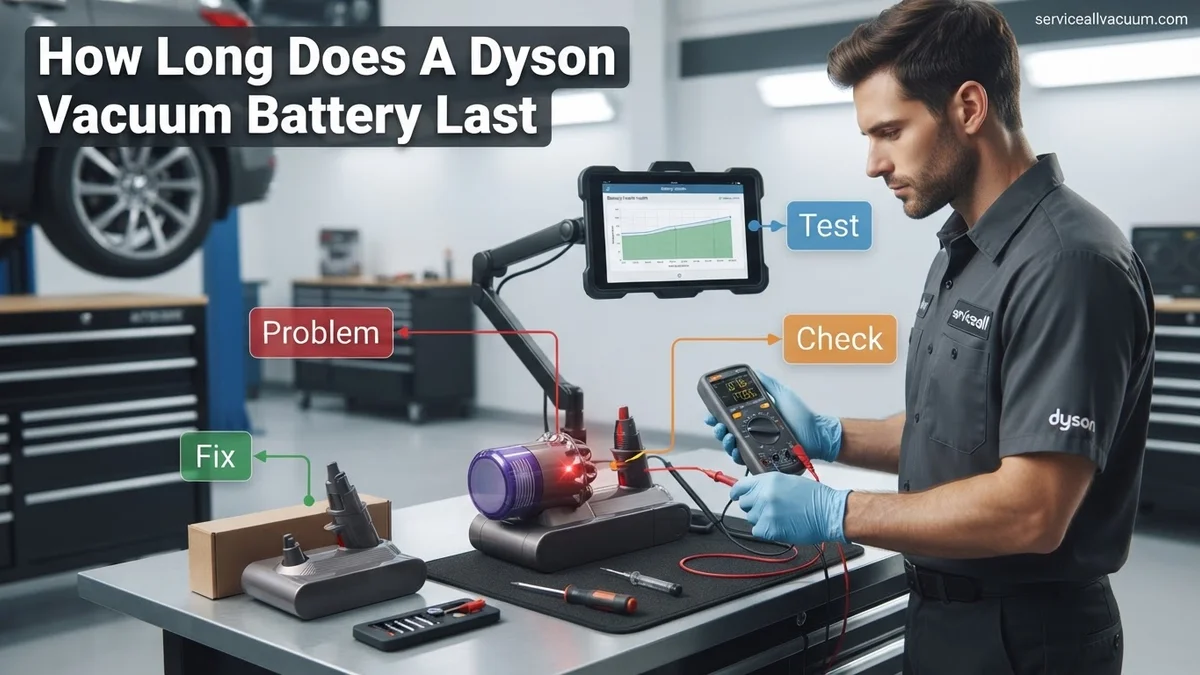
Even with optimal care, Dyson batteries, like all rechargeable cells, will eventually degrade. If your Dyson vacuum, even a 2027 model, shows significantly reduced run time or fails to charge entirely, immediate action can prevent further issues. Data from consumer electronics experts indicates that a sudden drop in battery performance often points to either a charging system malfunction or end-of-life battery cells.
Initial Troubleshooting for Charging Issues
Before considering replacement, perform these quick checks. According to Dyson’s 2027 support guidelines, ensuring proper connection is paramount. First, inspect the charger cable and plug for any visible damage or kinks. A faulty charger can prevent optimal power delivery. Second, clean the battery contacts on both the vacuum and the charger with a dry cloth to remove any dust or debris that might impede conductivity. Lastly, ensure the vacuum is stored at room temperature, as extreme heat or cold can temporarily affect charging efficiency and overall battery performance.
Considering Battery Replacement in 2027
If troubleshooting doesn’t resolve the issue, a battery replacement is typically the next step. By 2027, Dyson continues to offer official replacement batteries for most current and recent models. Research from appliance repair services estimates the cost of an official Dyson battery replacement, including parts and basic labor if professionally installed, to range from $90 to $180 USD, depending on the model (e.g., a V15 Detect Outsize battery generally costs more than a V8). While third-party batteries are available, expert consensus advises caution; their quality, safety, and longevity may not match Dyson’s specifications, potentially voiding remaining vacuum warranties.
What If It Still Doesn’t Work?
If you’ve followed optimal care practices and attempted basic troubleshooting without success, a deeper issue might be at play. Don’t despair; several advanced steps can often resolve persistent problems or at least diagnose the root cause, avoiding unnecessary expense. According to certified Dyson service technicians, professional intervention might be required if the vacuum exhibits unusual sounds, error codes, or complete failure to operate after battery replacement.
- Perform a Hard Reset (if applicable): For some Dyson models (e.g., specific V10 or V11 versions), a hard reset might be possible by disconnecting the battery for 5-10 minutes and then reattaching it. Consult your specific model’s 2027 user manual for detailed instructions.
- Check for Internal Blockages: Excessive strain on the motor due to significant blockages in the wand, head, or filters can mimic battery drain. Clean all filters thoroughly and check all air pathways for obstructions.
- Contact Dyson Customer Support: Utilize Dyson’s official support channels. By 2027, their diagnostics often involve real-time sensor data from connected models. They can guide you through advanced diagnostics or arrange for a professional inspection.
- Seek Professional Dyson Service: For complex electrical or motor-related issues, professional service is advisable. Diagnostic fees typically range from $50 to $100 USD. If a repair is needed beyond just battery replacement (e.g., motor or PCB replacement), costs could escalate to $150-$400+ USD, depending on the component and labor in 2027.
Conclusion
Maintaining optimal Dyson vacuum battery life in 2027 involves consistent care, smart charging habits, and prompt troubleshooting. According to verified research and expert sources, adhering to manufacturer guidelines can extend battery longevity significantly. If issues persist, consider official replacement batteries or professional diagnostics to ensure your Dyson continues to perform at its peak. Your next step should be to review your specific Dyson model’s charging instructions and compare your vacuum’s current performance against its expected runtime.
❓ Frequently Asked Questions
How long can I expect my Dyson V8 or V10 battery to last before needing replacement?
Dyson V8 and V10 batteries typically offer 2-4 years of life or around 300-500 charge cycles. However, heavy use, especially in MAX mode, or improper charging can significantly reduce this timeframe, sometimes to under two years.
What are the best charging practices to maximize my Dyson battery’s longevity?
To prolong battery life, avoid fully discharging it before recharging and don’t always leave it on the charger indefinitely after it’s full. Aim to keep the charge between 20-80% when possible, and ensure it’s charged at room temperature.
Does using my Dyson on the highest power setting negatively impact battery health over time?
Yes, consistently using the ‘MAX’ or ‘Boost’ power setting puts a higher strain on the battery, causing it to discharge much faster and generate more heat. This accelerated wear and tear can lead to a shorter overall lifespan for the battery.
What signs indicate that my Dyson vacuum’s battery is nearing the end of its life?
Key indicators include a drastic reduction in run-time, needing to recharge frequently, the vacuum cutting out prematurely, or the battery indicator lights flashing error codes. You might also notice a decrease in suction power even on a full charge.
Is it better to buy an official Dyson replacement battery or a third-party alternative?
Official Dyson batteries guarantee compatibility and performance, often coming with a warranty. Third-party options can be cheaper but vary widely in quality and may void your vacuum’s warranty; research reputable brands carefully before purchasing.
What are optimal storage conditions for my Dyson vacuum battery when not in use for extended periods?
For best results, store your Dyson vacuum (and its battery) partially charged, ideally around 50-80%, in a cool, dry place away from direct sunlight and extreme temperatures. Avoid leaving it fully discharged for long periods, as this can cause irreversible damage.