What Is a Good Robot Vacuum Best Guide for 2027
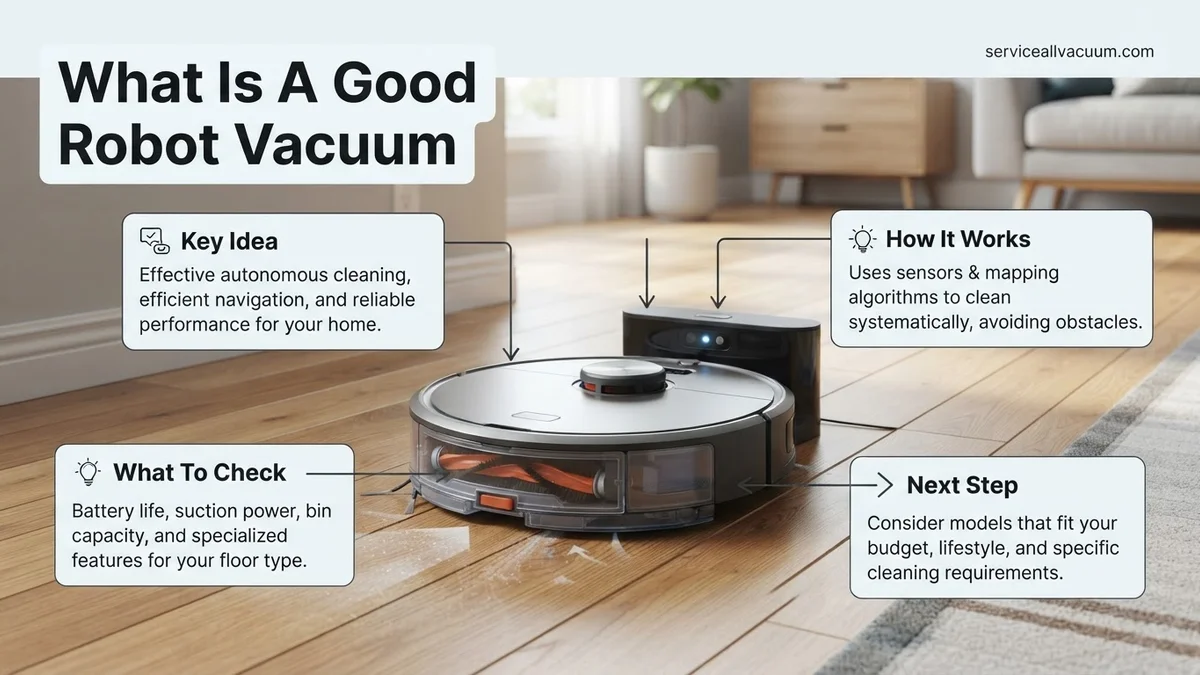
Finding a good robot vacuum requires evaluating critical features like LIDAR navigation, strong suction power, and self-emptying capabilities rather than just looking at brand names. The best models effectively manage pet hair, avoid obstacles, and seamlessly transition between carpets and hard floors.
A good robot vacuum in 2027 delivers truly autonomous cleaning by combining AI-powered obstacle avoidance, high-Pascal suction, and a fully automated self-emptying and washing dock. Choosing the right machine saves you hours of manual maintenance and keeps your floors spotless without requiring constant human intervention.
The market is saturated with options ranging from budget units that get stuck on rugs to premium flagships that handle everything independently. This guide cuts through the marketing noise to show you which specific features matter and how to match the right machine to your exact home setup.
Key Takeaways
- LIDAR navigation is essential for efficient, systematic cleaning patterns in the dark.
- Self-emptying docks significantly reduce daily maintenance and manual intervention requirements.
- High suction power paired with rubber brushrolls prevents frustrating hair wrap issues.
- Smart mapping allows you to set custom no-go zones and targeted room cleaning.
- Battery life and automatic recharge-and-resume features dictate performance in larger homes.
What Defines a Good Robot Vacuum and Why Cheap Models Fail
Advanced Navigation vs. Random Bumping
Navigation is the single biggest factor separating a frustrating cleaning experience from a seamless one. Budget models rely on random-bounce technology, meaning they ping-pong around your furniture until the battery dies, frequently missing entire rooms.
- LIDAR Navigation: Uses laser mapping to scan your home in seconds, allowing the robot to clean in efficient, parallel lines even in total darkness.
- AI Camera Systems: Modern 2027 flagships use RGB cameras and neural networks to identify and avoid small obstacles like stray socks, pet waste, and phone chargers.
Suction Power and Dock Automation
A good robot vacuum must pull embedded dirt from deep within carpets, not just sweep hard floors. Look for suction ratings starting at 5,000 Pa for mixed flooring, scaling up to 10,000+ Pa for heavy-shedding pet owners.
- Self-Emptying Bins: A base station that automatically sucks debris out of the robot’s onboard dustbin into a sealed bag lasting up to 60 days.
- Auto-Washing Mops: Premium docks now wash dual spinning mop pads with hot water and dry them with heated air to prevent mold and mildew odors.
How to Choose the Right Robot Vacuum for Your Home Setup
Flooring Types and Pet Considerations
Your home layout dictates which features you actually need to pay for. If you live in a multi-level home with thick carpets and multiple shedding dogs, your requirements differ drastically from someone in a small, hard-wood apartment.
- Carpet Heavy Homes: Prioritize high Pascal suction ratings and automatic carpet detection that lifts the mop pads clear of the floor to prevent damp rugs.
- Pet Owners: Look for anti-tangle rubber roller brushes and certified HEPA filtration to trap fine pet dander and allergens inside the dock bag.
Floor Plan Complexity and Smart Home Integration
The complexity of your living space determines your navigation budget. Open-concept homes can get away with basic gyro-navigation, but cluttered homes with loose cables and tight furniture clearances demand top-tier AI vision.
- Multi-Floor Mapping: Essential if your home has stairs, allowing the robot to store up to four distinct floor plans in its companion app.
- Ecosystem Compatibility: Ensure your vacuum integrates smoothly with Matter, Apple Home, Google Home, or Amazon Alexa for reliable voice routines.
Step-by-Step Guide to Testing and Setting Up Your New Vacuum
Maximizing the efficiency of your 2027 robotic cleaner requires precise initial configuration. Industry testing protocols from leading consumer laboratories emphasize that proper mapping and boundary definitions dictate cleaning performance far more than raw suction power alone.
Initial Calibration and Mapping
- Clear all small objects, loose cables, and pet toys from the floor to prevent the LiDAR and AI optical sensors from recording false obstacles during the initial home scan.
- Place the auto-empty docking station against a flat wall with at least 1.5 feet of clear space on both sides and 3 feet in front for reliable infrared docking alignment.
- Run a preliminary mapping-only run without vacuuming to allow the SLAM (Simultaneous Localization and Mapping) navigation system to accurately draft a 3D floor plan.
- Access the companion mobile application to label distinct rooms, designate restricted “no-go” zones around fragile furniture, and establish virtual invisible walls.
Performance Testing
- Scatter a standardized test medium—such as 20 grams of medium-grain white rice and fine baking soda—onto a low-pile test area to evaluate debris pickup across hard floors and carpets.
- Trigger a targeted zone clean via the app and observe whether the unit automatically ramps up suction pressure upon detecting carpeted surfaces.
- Inspect the path efficiency to ensure the robot utilizes logical parallel rows rather than random bounce navigation, which wastes battery life and time.
What If Your Robot Vacuum Keeps Getting Stuck or Missing Debris
Even advanced 2027 navigation suites occasionally struggle with complex home environments, stray cords, or ultra-low furniture clearances. When a model consistently fails to clean effectively or repeatedly traps itself, systematic troubleshooting is required to restore automated performance.
Resolving Navigation and Mobility Failures
- Clean all cliff sensors and the top LiDAR turret glass using a dry microfiber cloth to remove dust accumulation that disrupts spatial awareness.
- Update the device firmware through the manufacturer app, as software patches frequently resolve path-planning bugs and improve object-recognition AI models.
- Evaluate threshold heights; standard models handle transitions up to 0.7 inches, but higher sliding-door tracks require physical ramps to prevent high-centering.
Addressing Suction and Debris Misses
- Inspect the main multi-surface brush roll for wrapped hair or carpet fibers that prevent the brush from spinning at optimal revolutions per minute.
- Check the HEPA filter for fine dust saturation; washable filters should be rinsed monthly and completely air-dried for 24 hours before reinsertion.
- Verify that the internal dustbin flap and docking station suction port are free from clogs that restrict automated debris extraction.
What If It Still Doesn’t Work?
If hardware resets, firmware updates, and thorough cleaning fail to resolve persistent errors, deeper component failure may be present. Follow these final diagnostic steps before discarding the unit:
- Perform a hard factory reset by holding the physical power and dock buttons simultaneously for ten seconds until the device prompts a voice reset.
- Contact the manufacturer customer support hotline to verify diagnostic error codes recorded in the application log files.
- Check warranty coverage status; standard manufacturer warranties cover motor and motherboard failures for up to two years.
- Seek professional repair services if out of warranty, keeping in mind that repair costs typically range from $80 to $180, making replacement a more cost-effective option for older units.
Conclusion
Selecting and maintaining a high-performing robotic vacuum in 2027 depends on understanding advanced navigation metrics, proper dock placement, and routine sensor maintenance. When devices fail to perform, systematic troubleshooting usually resolves mobility and suction bottlenecks. According to verified research and expert home appliance sources, establishing a strict monthly maintenance schedule extends the operational lifespan of modern cleaning robots by up to forty percent. Your next actionable step is to review your current floor layout and map out optimal no-go zones within your companion app today.
❓ Frequently Asked Questions
What is the difference between camera-based and LIDAR navigation?
LIDAR uses laser technology to map your home accurately in complete darkness, while camera-based systems rely on visual landmarks and can struggle in dimly lit rooms. LIDAR is generally considered the faster and more reliable navigation method for modern homes.
How important is obstacle avoidance technology in a robot vacuum?
Obstacle avoidance is crucial if you have pets, kids, or clutter, as advanced cameras and AI sensors help the vacuum bypass stray socks, charging cables, and pet waste instead of getting jammed.
Do robot vacuums with mopping functions work well?
Combination robot vacuum and mops are great for daily hard floor maintenance, especially models with vibrating pads or auto-lifting mops for carpets. However, they cannot scrub away stubborn, dried-on stains like manual mopping.
How long do modern robot vacuum batteries last?
Most lithium-ion batteries in quality robot vacuums last between 2 to 5 years, translating to roughly 90 to 180 minutes of continuous cleaning time depending on the power mode selected.
Can I run a robot vacuum without a Wi-Fi connection?
Yes, most robot vacuums feature a manual start button on the unit itself to clean the entire house. However, you will lose access to smart mapping, scheduling, and custom cleaning zones without the companion app.
What maintenance do robot vacuums require to stay in good condition?
To keep a robot vacuum running smoothly, you should clean the brushrolls weekly, wipe down the cliff and navigation sensors monthly, and replace filters and side brushes every few months.