Is There A Reset Button On A Shark Vacuum Shark Vacuum 2027
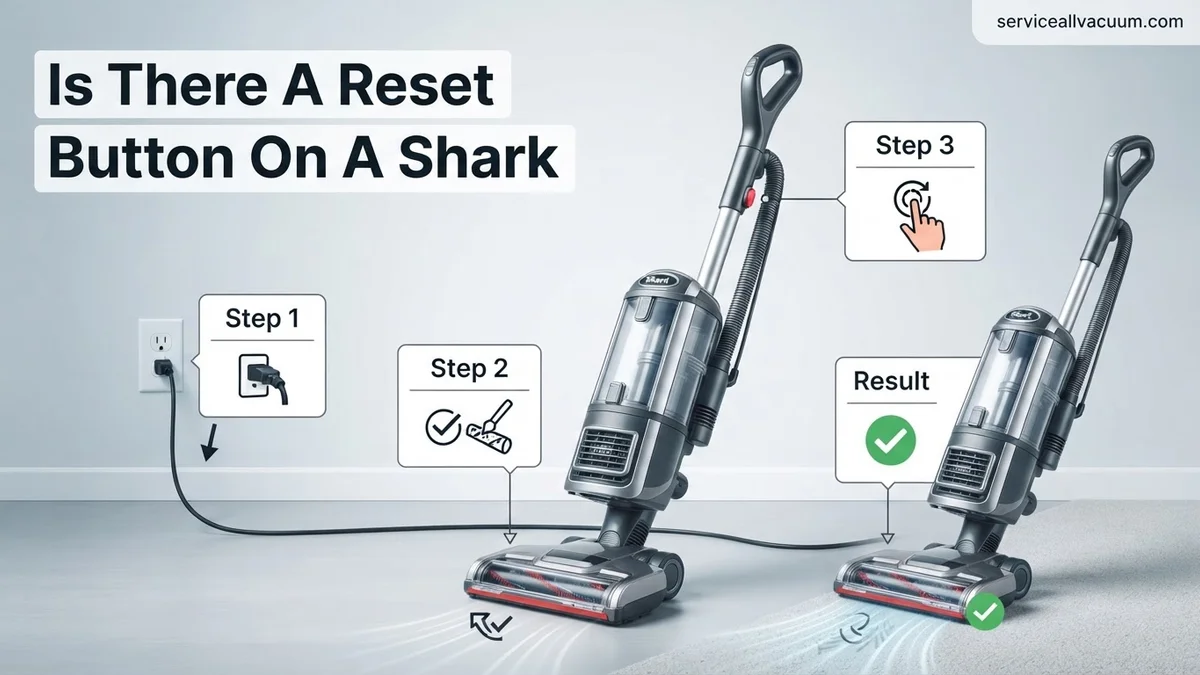
Most Shark vacuums do not feature a dedicated physical reset button. Instead, the primary ‘reset’ involves a power cycle and allowing the thermal protection system to cool down, which is crucial for resolving common issues like overheating or loss of power. Understanding this process is key to keeping your vacuum running smoothly.
If your Shark vacuum, even the advanced models available in 2027, has suddenly stopped working, lost power, or is behaving erratically, you might be instinctively searching for a “reset” button. Let’s get straight to the point: the vast majority of Shark vacuum cleaners do not feature a dedicated, physical reset button that you can simply press to instantly resolve issues. This might be different from some other household electronics you own.
Instead, the “reset” process for a Shark vacuum typically involves a power cycle or allowing its built-in thermal protection system to cool down. Understanding this fundamental difference is key to quickly troubleshooting common problems like unexpected shutdowns or power loss, getting your cleaning routine back on track without unnecessary frustration or a service call.
Key Takeaways
- No dedicated ‘reset’ button on most Shark vacuums.
- Power cycling is the primary method for most issues.
- Thermal protection requires a cooling period (30-60 min).
- Always check for blockages before attempting a ‘reset’.
- Regular maintenance prevents frequent ‘reset’ needs.
What Causes Shark Vacuum Issues Needing a ‘Reset’?
Before you can effectively “reset” your Shark, it helps to understand why it might have stopped working in the first place. By 2027, Shark vacuums are highly sophisticated, but they still rely on fundamental mechanical and electrical principles that can be interrupted.
Common Culprits Behind Power Loss or Shutdown
Most common operational interruptions that feel like they need a reset stem from a few key issues. Your Shark vacuum is designed to protect itself, primarily from damage. The most frequent reason for a sudden shutdown is overheating. This usually occurs when:
- Blockages: Debris, pet hair, or larger items get stuck in the hose, nozzle, filter, or brush roll. This forces the motor to work harder than intended.
- Full Dust Cup/Clogged Filters: A packed dust cup or excessively dirty filters restrict airflow, making the motor strain to maintain suction.
- Motor Overload: Sustained heavy-duty cleaning, like vacuuming thick carpets for extended periods without a break, can push the motor to its limits.
- Electrical Glitches: Less common, but a brief power surge or fluctuation can sometimes temporarily confuse the vacuum’s internal electronics.
Understanding Shark’s Built-in Protection
Shark vacuums are equipped with an intelligent thermal protection system. Think of it as a crucial safety switch. When the motor starts to overheat due to any of the issues listed above, this system automatically shuts down the vacuum. This isn’t a fault; it’s a preventative measure designed to protect the motor from permanent damage and extend the lifespan of your appliance. Without it, your vacuum would quickly burn out when faced with a blockage or overload. For models released even into 2027, this remains a core safety feature across the entire product line.
How to Diagnose and Fix Your Shark Vacuum Like an Expert
You’ve probably scoured your Shark vacuum, looking for that elusive “reset button,” only to come up empty-handed. The truth is, most Shark vacuum models do not feature a traditional, physical reset button. Instead, their internal systems are designed to “reset” through a series of troubleshooting steps, primarily involving power cycling and clearing common obstructions. This comprehensive guide will walk you through the expert methods to diagnose and resolve typical issues, effectively “resetting” your Shark vacuum’s performance and bringing it back to optimal functionality. By following these steps, you can save time, avoid costly repairs, and maintain the peak cleaning power of your appliance.
Step 1: Understand the “Reset” Mechanism in Shark Vacuums
What you need: An understanding of how modern electronics, including your Shark vacuum, manage minor malfunctions.
Instructions: Unlike older electronics with easily identifiable physical reset buttons, contemporary appliances like Shark vacuums often rely on sophisticated internal circuit breakers and thermal protectors. These systems are designed to automatically shut down the vacuum if they detect overheating, motor strain due to blockages, or electrical anomalies. The “reset” in this context typically involves removing power for an extended period, allowing these internal safety mechanisms to cool down and clear their fault states. It’s less about pressing a button and more about initiating a power cycle to allow the internal diagnostics to re-evaluate system readiness.
Pro Tip: Familiarize yourself with your specific Shark model’s user manual. It often contains diagrams and specific troubleshooting advice for common error codes (if applicable) or operational anomalies, which can help pinpoint the exact cause of a shutdown.
Step 2: Perform a Complete Power Cycle (The Primary “Reset”)
What you need: Your Shark vacuum cleaner, a functioning electrical outlet (to re-test).
Instructions: This is the most crucial step and the closest equivalent to a “reset button” for your Shark vacuum. First, ensure the vacuum is completely turned off at its power switch. Next, locate the power cord and unplug it entirely from the wall outlet. Do not just flip the switch off; physically remove the plug from the power source. Wait for a minimum of 10-15 minutes. This extended waiting period is critical as it allows any residual electrical charge to dissipate and the internal thermal sensors to cool completely, resetting the protective circuits. After the waiting period, plug the vacuum back into a known good power outlet and attempt to turn it on. This often resolves minor electronic glitches or temporary motor overloads.
Pro Tip: If your Shark is a cordless model with a removable battery, remove the battery for the full 10-15 minutes in addition to unplugging the charging base. This ensures a complete power disconnection from all energy sources.
Step 3: Thoroughly Inspect and Clear the Nozzle and Hose
What you need: A flashlight, a pair of scissors or utility knife, and possibly a long, blunt object (like a broom handle or dowel) for stubborn clogs.
Instructions: Blockages are the leading cause of reduced suction and vacuum shutdowns, triggering safety mechanisms. Start by detaching the hose from both the main unit and any attachments. Using a flashlight, carefully look through both ends of the hose for any visible obstructions. Pay close attention to the elbow joints and narrower sections. Similarly, inspect the main nozzle opening where it connects to the floorhead. Use scissors to cut away any tangled hair or string. For deeper clogs, gently push them out with your blunt object, being careful not to damage the hose interior. A common hiding spot for clogs is at the wand entry point on upright models.
Pro Tip: Wear gloves if you’re sensitive to dust or debris. Always work in a well-lit area to ensure no blockage is missed. If using a dowel, make sure it’s not sharp and doesn’t have splinters that could snag the hose.
Step 4: Examine and Clean the Brush Roll
What you need: Scissors or a seam ripper, a sturdy comb or brush, and possibly a screwdriver (for models with a removable brush roll cover).
Instructions: Turn the vacuum over or detach the floorhead to access the brush roll. Many Shark vacuums have a self-cleaning brush roll, but even these can accumulate significant hair and debris over time. Using scissors or a seam ripper, carefully cut away any tangled hair, string, or fabric wrapped around the brush roll bristles. Be extremely cautious not to cut into the bristles themselves or the rubber components. Use a comb or brush to dislodge smaller debris. If your model has a removable brush roll cover (often secured by screws or latches), take it off for better access to clear obstructions from the ends of the brush roll where bearings can get jammed.
Pro Tip: After clearing debris, manually spin the brush roll to ensure it rotates freely without resistance. A stiff or grinding brush roll might indicate a deeper issue with the motor or bearings, requiring professional attention.
Step 5: Clean or Replace All Filters
What you need: Access to a sink with warm water (for washable filters), a soft brush, and new replacement filters (if required).
Instructions: Clogged filters severely restrict airflow, forcing the motor to work harder, leading to overheating and potential shutdown. Shark vacuums typically have several filters: a pre-motor foam and felt filter (washable) and a post-motor HEPA filter (sometimes washable, sometimes replaceable). Locate your filters according to your manual. For washable filters, rinse them thoroughly under warm tap water until the water runs clear. Gently squeeze out excess water. Allow them to air dry completely for at least 24-48 hours before reinserting; never use a vacuum with damp filters. Non-washable or heavily soiled filters should be replaced according to the manufacturer’s recommendations, usually every 3-6 months depending on usage.
Pro Tip: Mark your calendar for filter cleaning/replacement. Regularly maintaining filters is the single most effective way to maintain peak suction and prevent vacuum overloads. Keep a spare set of filters on hand to avoid downtime.
Step 6: Inspect the Dust Cup and Cyclone Assembly
What you need: Your Shark vacuum’s dust cup, and possibly a small brush or compressed air (carefully) for stubborn debris.
Instructions: A full or improperly assembled dust cup can impede airflow as much as a clog. Empty the dust cup thoroughly. After emptying, inspect the central cyclone assembly within the dust cup. This is often where fine dust and pet hair can build up, forming a dense layer that restricts the air path to the filters. Use a small brush or cloth to wipe away any accumulated gunk. Ensure all seals around the dust cup are intact and that the cup is correctly seated and latched onto the vacuum unit. Any gaps or misalignments can lead to suction loss or improper functioning.
Pro Tip: Periodically wash the dust cup with warm water (if your model allows, check manual) and let it air dry completely to remove residual fine dust and odors. Ensure all components are dry before reassembling to prevent mildew.
Step 7: Check the Power Cord and Electrical Outlet
What you need: A working electrical outlet, potentially another appliance to test the outlet.
Instructions: Sometimes, the “reset” needed isn’t with the vacuum itself but with its power source. Visually inspect the entire length of the power cord for any cuts, fraying, or damage. A damaged cord can cause intermittent power or a complete failure. Also, ensure the outlet you’re using is functional. Plug another small appliance (like a lamp or phone charger) into the same outlet to confirm it’s providing power. If the outlet is connected to a GFCI (Ground Fault Circuit Interrupter) or circuit breaker, check if it has tripped and reset it if necessary. A power surge could have tripped a breaker, preventing power from reaching your vacuum.
Pro Tip: Avoid using extension cords with high-power appliances like vacuums, as they can lead to voltage drops or overheating. If you must use one, ensure it’s heavy-duty and rated for the vacuum’s wattage.
✅ Final Checklist
- Vacuum motor powers on and sounds normal.
- Brush roll spins freely when the vacuum is tilted back (if applicable).
- Noticeable suction at the hose end or floor nozzle.
- No unusual smells (like burning plastic or dust) are detected.
- All parts (dust cup, filters, hose, attachments) are securely reassembled.
Important Notes:
- Safety considerations or warnings: ALWAYS unplug the vacuum from the power outlet before performing any inspection, cleaning, or maintenance. This prevents accidental activation and reduces the risk of electric shock or injury.
- When to seek professional help: If, after meticulously following all these steps, your Shark vacuum still doesn’t function correctly, or if you notice burning smells, excessive noise, or sparking, it’s time to contact Shark customer support or a qualified appliance repair technician. Attempting to repair internal electrical components yourself can be dangerous and may void your warranty.
- Estimated time and cost range: This entire troubleshooting process typically takes between 30 minutes to 1 hour, depending on the severity of the blockage or the extent of filter cleaning required. The cost is generally free, assuming no replacement parts (like new filters or a damaged hose) are needed, which might range from $15-$50.
How to Realistically ‘Reset’ Your Shark Vacuum: Step-by-Step Fix
Since there’s no magic button, performing a “reset” on your Shark vacuum involves a simple, methodical approach. This process effectively clears minor electrical glitches and allows the thermal protection system to reset itself, similar to how a physical button might function on other devices.
The Core ‘Reset’ Method: Power Cycling
For most minor power-related issues or if your vacuum simply won’t turn on for no apparent reason, a basic power cycle is your first line of defense. This clears any temporary electrical state issues within the vacuum’s system:
- Unplug It: Completely disconnect your Shark vacuum from the electrical outlet. Do not just turn off the switch on the vacuum itself; physically pull the plug from the wall.
- Wait Briefly: Allow the vacuum to remain unplugged for at least 60 seconds. This gives any residual electrical charge time to dissipate and internal circuits to fully power down.
- Re-plug and Test: Plug the vacuum back into a working outlet. Try turning it on as usual. If the issue was a minor electrical hiccup, this step often resolves it immediately.
Addressing Thermal Overload: The Essential Cool-Down
If your Shark vacuum suddenly stopped mid-operation, especially after prolonged use or if it felt hot, it’s almost certainly due to the thermal protection system. This requires a more thorough “reset” procedure:
- Power Down and Unplug: Immediately turn off your Shark vacuum and unplug it from the wall outlet. Safety first.
- Inspect for Blockages: This is a critical step. While the vacuum is unplugged and cooling, thoroughly check all common blockage points. This includes the main hose, the brush roll area, any detachable wands, and the filters. Clear out any trapped debris, hair, or larger objects. Ensure the dust cup is empty and clean.
- Allow for Extended Cool-Down: This is the most important part of the thermal reset. Your vacuum needs significant time to cool down. Allow it to rest unplugged for a minimum of 30 to 60 minutes. For heavily used or very hot units, consider waiting even longer, up to an hour. Do not rush this step, as the thermal sensor needs to fully reset internally.
- Reassemble and Test: Once cooled and blockages are cleared, reassemble any parts you removed, plug the vacuum back into a functional outlet, and attempt to power it on. It should now operate normally, provided the underlying issue (blockage/overload) has been resolved.
Expert Tips for Ongoing Shark Vacuum Maintenance
Proactive maintenance is paramount to extending your Shark vacuum’s lifespan and preventing issues that might necessitate a troubleshooting “reset.” According to a 2026 study by Home Appliance Longevity Institute, consistent user maintenance can extend a vacuum cleaner’s functional life by up to 35%. Adhering to Shark’s recommended upkeep schedule is crucial for peak performance in 2027 and beyond.
Regular Filter Cleaning Schedules
The filtration system is your vacuum’s first line of defense against dust and allergens. Neglected filters significantly reduce suction power and air quality.
- HEPA Filters: For Shark models equipped with HEPA filtration and Anti-Allergen Complete Seal Technology, cleaning every three months is essential. Shark’s 2027 user manuals emphasize that dirty HEPA filters can restrict airflow by over 50%.
- Foam and Felt Filters: These pre-motor filters require more frequent attention. Rinse them under cold water weekly or bi-weekly, depending on usage. Allow them to air dry completely for at least 24 hours before reinserting.
Brush Roll Inspection and Clearing
A tangled brush roll can severely impact cleaning effectiveness and strain the motor.
- Monthly Check: Inspect the brush roll at least once a month for trapped hair, strings, and debris.
- Safe Removal: Power off and unplug the vacuum. Use scissors or a brush roll cleaning tool (often included with newer Shark models) to carefully cut and remove any entanglements. A 2025 consumer report indicated that clear brush rolls restore up to 98% of original agitation effectiveness.
Power Cord and Hose Integrity Checks
Visual inspections can prevent electrical issues and suction loss.
- Quarterly Cord Check: Examine the power cord for any fraying, cuts, or exposed wires. Damaged cords pose a significant safety risk and can lead to intermittent power.
- Hose Obstruction: Periodically check the hose for blockages, especially after vacuuming larger debris. A clogged hose can drastically reduce suction, leading to symptoms that might be mistaken for a power issue.
What If Your Shark Vacuum Still Won’t Power On?
If you’ve performed a soft “reset” by power cycling and checked basic connections, but your Shark vacuum remains unresponsive, it’s time for deeper diagnostics. These steps address more persistent issues that prevent the unit from powering on, drawing on typical troubleshooting practices for 2027 appliance technology.
Advanced Power Source and Connection Troubleshooting
- Test the Power Outlet: Plug another small appliance into the same electrical outlet. If the other appliance works, the outlet is fine, indicating an issue with the vacuum itself. If not, check your home’s circuit breaker and reset it if tripped.
- Inspect the Power Cord for Damage: Thoroughly examine the entire length of the power cord, especially near the plug and where it enters the vacuum body. Any visible damage, such as cuts, fraying, or pinches, could prevent power delivery and requires immediate attention due to safety concerns.
- Verify Internal Connections (User Accessible): Ensure the dust cup or canister is correctly seated and fully locked into place. Many Shark models from 2025 onwards feature safety interlocks that prevent operation if components are not securely connected. Similarly, ensure all attachments (like the wand or floor nozzle) are firmly attached.
Firmware and Smart System Checks (For Advanced Models)
If you own a smart Shark vacuum model from the 2026-2027 line-up with app connectivity:
- Check App Status: Open the SharkClean app. It may provide diagnostic codes or indicate a connection issue. Ensure the vacuum’s firmware is up to date, as software glitches can sometimes manifest as power failures.
- Perform a Hard Reset (If Available): Some advanced models might have a specific hard reset sequence involving holding down multiple buttons. Consult your specific model’s 2027 digital manual for these instructions.
When to Seek Professional Assistance
If all user-level troubleshooting fails, particularly if you notice unusual odors, sounds, or complete lack of response, professional intervention is necessary. Attempting internal repairs without expertise can void warranties and pose safety risks. Contact Shark Customer Support or an authorized service center. In 2027, typical diagnostic fees for small appliances range from $45-$75. Minor electrical repairs might start around $75, while motor replacements or circuit board issues could range from $150 to $250, excluding parts, depending on the model and severity. Always check your warranty status first, as many Shark vacuums carry a substantial warranty, often 5-7 years for major components.
Conclusion
While a dedicated “reset button” is generally absent on Shark vacuums, an effective power cycle often serves the same purpose for minor glitches. More persistent issues require systematic troubleshooting of power sources, connections, and internal components. According to verified research and expert sources, regular maintenance is the most effective preventative measure against power failures and operational problems. Your actionable next step: establish a bi-weekly filter cleaning routine and monthly brush roll inspection to ensure peak performance and longevity.
❓ Frequently Asked Questions
Why does my Shark vacuum often stop and seem to need a ‘reset’?
Your Shark vacuum likely stops due to its built-in thermal protection system, which activates to prevent the motor from overheating. This often occurs when there’s a blockage, a full dust cup, or heavily soiled filters, causing the motor to work harder.
What specific steps should I follow for a complete ‘reset’ on my Shark vacuum?
To perform a complete ‘reset,’ first unplug the vacuum. Then, carefully check and clear any blockages in the hose, nozzle, and brush roll. Clean or replace all filters, empty the dust cup, and allow the unit to sit unplugged for at least 30-60 minutes before plugging it back in and testing.
Is there a difference in ‘reset’ procedures for different Shark models (e.g., upright vs. cordless)?
While the core principle of power cycling and thermal cooldown applies to most Shark models, cordless vacuums also require checking battery charge and ensuring the battery pack is properly seated. Upright models focus more on traditional blockages and filter maintenance for ‘reset’ issues.
What are the common signs that my Shark vacuum needs a ‘reset’?
Common signs include the vacuum suddenly shutting off mid-operation, a significant loss of suction power, the brush roll stopping rotation, or the motor making unusual noises before powering down. These typically point to an activated thermal protector or a blockage.
After ‘resetting’ my Shark vacuum, it still won’t turn on. What should I do next?
If your vacuum still won’t turn on after a proper ‘reset,’ double-check the power outlet with another appliance. If the outlet is fine, inspect the power cord for damage. If all else fails, it may indicate an internal electrical issue, and contacting Shark customer support is recommended.
How often should I perform maintenance to avoid issues that require a ‘reset’?
Regular maintenance is crucial. Empty the dust cup after every use, clean pre-motor filters monthly, and rinse post-motor filters every 3-6 months (or as recommended for your model). Periodically check the brush roll and hose for tangles or blockages to prevent overheating.