Dolphin Proteus Dx3 Automatic Robotic Pool Vacuum 2027
The Dolphin Proteus DX3 automatic robotic pool vacuum cleaner is a popular entry-level pool cleaning solution designed for above-ground and small in-ground pools up to 33 feet. This guide covers current pricing, technical specifications, and retailer availability to help buyers determine if it meets their pool maintenance needs.
If you are looking to buy the Dolphin Proteus DX3 automatic robotic pool cleaner in 2027, you will find it widely available through major online pool supply retailers and home improvement stores like Amazon, Leslie’s Poolmart, and Doheny’s. Pricing for this popular model generally sits between $600 and $750, depending on seasonal sales and bundle offers. Finding a reliable, budget-friendly robotic cleaner that handles both floors and walls can be frustrating.
This review cuts straight to the details you need to make a purchasing decision. We examine current pricing, retail availability, and technical specifications to help you determine if the Proteus DX3 is the right match for your backyard swimming pool this season.
Key Takeaways
- Ideal for pools up to 33 feet in length.
- Features a standard 2-hour cleaning cycle for floors and walls.
- Equipped with easy-to-clean fine filtration basket.
- Energy-efficient design uses significantly less power than traditional pumps.
- Check major online pool retailers for competitive pricing and seasonal discounts.
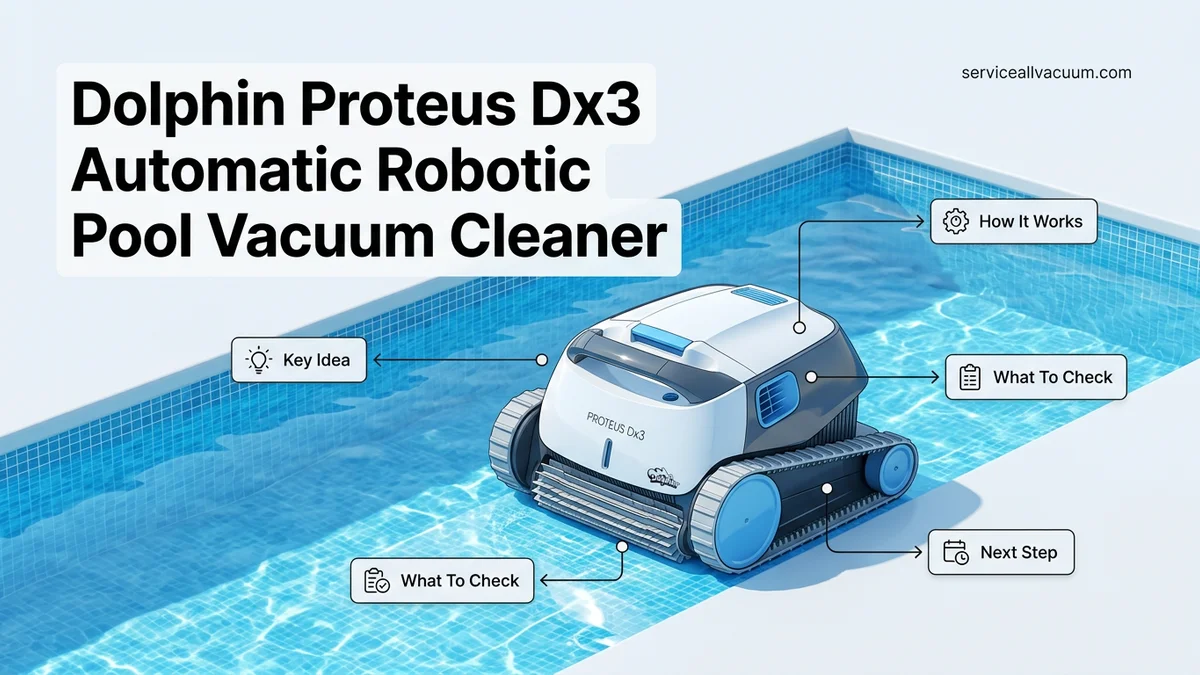
Identifying Pool Maintenance Issues Solved by the Dolphin Proteus DX3
Tackling Fine Debris and Stubborn Algae
Manual pool vacuuming wastes hours of your weekend and often misses microscopic dirt that floats back into the water. The Dolphin Proteus DX3 solves this by using powerful suction combined with active scrubbing brushes that rotate faster than the tracks move. You get a cleaner pool without breaking your back.
- Fine filtration baskets capture leaves, dirt, and microscopic algae efficiently.
- Active scrubbing brushes eliminate slippery algae spots on the pool floor.
- Independent operation means no hoses or extra booster pumps are required.
Overcoming Wall Climbing and Coverage Limitations
Many basic pool cleaners only crawl across the floor, leaving your waterline coated in oils and grime. The Proteus DX3 features CleverClean technology to map your pool layout efficiently. It climbs and scrubs walls up to the waterline for complete coverage.
- Navigates smoothly around corners and sloped pool floors up to 33 feet in length.
- Smart scanning software prevents the cleaner from getting stuck on main drains or steps.
- Consistent vertical cleaning targets the grime line where bacteria often thrives.
Master Dolphin Proteus DX3 Automatic Robotic Pool Vacuum Cleaner in 8 Simple Steps
Keeping your swimming pool sparkling clean shouldn’t feel like a full-time job. The Dolphin Proteus DX3 automatic robotic pool vacuum cleaner is a powerful ally in your backyard maintenance routine, designed to scrub, vacuum, and filter dirt away effortlessly. However, to get the absolute best performance and longevity out of your investment, proper setup, operation, and maintenance are crucial. This practical walkthrough will guide you through everything you need to know, from unboxing to off-season storage, ensuring your pool stays pristine all season long.
Step 1: Unboxing and Component Inspection
What you need: Dolphin Proteus DX3 cleaner, power supply unit, floating cable, user manual, and a flat surface.
Instructions: Begin by carefully opening the shipping carton and removing all components. Inspect the robotic cleaner, the floating cable, and the power supply for any visible shipping damage. Lay the floating cable out straight in the sun for 15 to 30 minutes to remove any kinks or memory coils from packaging. Familiarize yourself with the main body, the active scrubbing brush located at the front, and the top-access filtration basket. Ensuring all parts are present and undamaged before your first use sets the foundation for a seamless cleaning cycle and prevents unexpected operational issues.
Pro Tip: Never use a knife or sharp blade to open the cardboard box, as you risk slicing through the floating power cable or scratching the plastic housing of the cleaner.
Step 2: Preparing the Power Supply Unit
What you need: Power supply unit, protective cover or shelter, and a GFCI-protected outdoor electrical outlet.
Instructions: Position the power supply unit at least 11 feet (3.5 meters) away from the pool edge to prevent accidental splashes and ensure safety compliance. The power supply should be placed in a shaded, well-ventilated area, ideally shielded from direct, intense midday sunlight to prevent overheating. Plug the power supply into a weather-resistant, GFCI-protected electrical outlet. Connect the floating cable from the cleaner securely into the power supply, aligning the notch properly and tightening the screw connector hand-tight. Avoid using extension cords, as they can cause voltage drops and damage the internal transformer.
Pro Tip: Always keep the power supply turned off and unplugged while connecting or disconnecting the floating cable to protect the electronic pins from electrical surges.
Step 3: Deploying the Cleaner into the Pool
What you need: Assembled Dolphin Proteus DX3 unit with the power supply connected.
Instructions: Lower the robotic vacuum gently into the deep end of your swimming pool, holding it by the sturdy handle. Do not drop or throw the unit into the water. Allow the cleaner to sink naturally to the pool floor. Gently feed enough floating cable into the water so that the cleaner can comfortably reach every corner and wall of the pool. To prevent dangerous tangles, only release enough cable for the unit to navigate freely, keeping any excess neatly coiled on the deck away from traffic paths.
Pro Tip: If your pool has steps or a sloped entry, submerge the cleaner near the center or deep end so it immediately establishes traction on the flat pool floor.
Step 4: Powering On and Selecting Cleaning Modes
What you need: Dolphin Proteus DX3 submerged in the pool, powered unit turned on.
Instructions: Press the power button on the power supply unit to initiate the cleaning cycle. The Dolphin Proteus DX3 is engineered for simplicity, featuring a standard 2-hour cleaning cycle designed to thoroughly vacuum and scrub the pool floor and walls. Once activated, the internal pump will prime, and you will see bubbles as the unit begins its intelligent scanning pattern. Let the cleaner run its full cycle uninterrupted. The machine is programmed to navigate systematically, so do not try to manually steer it with the cord.
Pro Tip: Run your robotic cleaner at least two to three times a week during peak swim season to prevent heavy debris buildup and reduce chemical usage.
Step 5: Safely Retrieving the Unit
What you need: Floating cable and a clear pool deck area.
Instructions: Once the 2-hour cleaning cycle concludes, turn off and unplug the power supply unit. Do not pull the cleaner out of the water by the floating cable, as this puts excessive strain on the swivel and electrical connections. Instead, gently pull the floating cable hand over hand until the cleaner is near the waterline. Grab the handle of the Dolphin Proteus DX3 firmly and lift it vertically out of the water, allowing the excess water to drain quickly through the bottom flaps for about 30 to 45 seconds.
Pro Tip: Never leave the robot sitting in direct sunlight on the pool deck after removal, as the UV rays can warp the plastic housing and degrade the rubber tracks.
Step 6: Cleaning and Maintaining the Filter Basket
What you need: Garden hose with a spray nozzle and the extracted cleaner.
Instructions: Press the release latch on the top of the cleaner to open the filter cover and lift out the filtration basket. Open the bottom latch of the basket to release large debris, leaves, and twigs. Take the basket to a grassy area or garbage can and rinse the mesh thoroughly using a garden hose. Spray from the outside in to flush out trapped fine dirt, algae, and silt. Do not use a stiff wire brush or pressure washer, as this can tear the delicate fine-mesh filtration panels.
Pro Tip: Clean the filter basket immediately after every single use. Letting debris dry inside the mesh makes it twice as hard to clean and clogs the pores permanently.
Step 7: Inspecting Tracks, Brushes, and Propellers
What you need: Clean, dry Dolphin Proteus DX3 unit and a pair of pliers (optional for removing trapped debris).
Instructions: While the unit is resting on your deck, perform a quick visual inspection of the active PVC scrubbing brush and the continuous tracks. Look for hair, string, or plastic wrappers wrapped tightly around the axle or brush rollers, as these can stall the motor. Check the water outlet port on top of the cleaner to ensure no leaves are jammed in the propeller. Spin the tracks and wheels manually with your hand to confirm they move smoothly without excessive resistance or grinding noises.
Pro Tip: Remove hair and string entanglements immediately using blunt-nosed scissors to avoid burning out the internal drive motor during subsequent cleaning cycles.
Step 8: Proper Storage and Cable Management
What you need: Shaded storage area, protective caddy (if available), and the floating cable.
Instructions: Store the Dolphin Proteus DX3 in a cool, dry, shaded area away from extreme temperatures, rain, and freezing conditions. When wrapping the floating cable, avoid tight, aggressive coils that cause memory twists. Instead, wrap the cable loosely in large, natural circles (similar to an extension cord loop). If you own a Dolphin storage caddy, mount the unit securely on it and drape the cable neatly over the designated hooks. Proper off-season and daily storage will drastically extend the operational life of your robotic cleaner.
Pro Tip: If storing the cleaner for the winter months, ensure the filter basket is completely bone dry and store the unit indoors where temperatures remain above freezing.
✅ Final Checklist
- Power supply is safely positioned at least 11 feet away from the pool edge on a GFCI outlet.
- Floating cable is free of kinks, knots, and untangled during operation.
- Filter basket is completely rinsed free of fine silt and large debris after every cycle.
- Scrubbing brushes and drive tracks spin freely without hair or string obstructions.
- Unit is stored properly in a shaded, dry area after use.
Important Notes:
- Never operate the robotic cleaner outside of the water; running the motor dry will instantly damage the internal seals and void your warranty.
- Remove the cleaner from the pool before adding shock treatments or heavy chemical balancing, and wait at least 4 hours before putting the robot back in.
- Seek professional service repair if the unit fails to power on, displays continuous error blinking lights, or if the drive tracks remain completely stationary while the motor hums.
- Estimated maintenance time: 10 minutes per cleaning cycle. No ongoing professional servicing costs required with proper daily care.
Why Inefficient Cleaning Occurs Without the Right Robotic Vacuum
The Hidden Costs of Suction and Pressure Cleaners
Relying on suction-side or pressure-side pool cleaners often drains your wallet through high electricity bills and constant equipment wear. These older cleaner types force your pool pump to work overtime, straining your filtration system. Upgrading to an independent robotic unit changes everything.
- Robotic cleaners operate on standard low-voltage household power, saving energy in 2027.
- Your main pool pump can run fewer hours per day, reducing overall utility costs.
- Self-contained filter cartridges trap debris before it ever reaches your main pool filter.
Scheduling Hassles and Manual Labor Burnout
Without an automated weekly timer, pool cleaning becomes an inconsistent chore that you put off until the water turns green. The Dolphin Proteus DX3 features a programmable weekly scheduler that cleans your pool automatically every few days. You simply drop the unit into the water and let it work.
- Set-it-and-forget-it weekly timer keeps your pool swim-ready all summer long.
- Lightweight design and quick water-release make lifting the unit out effortless.
- Top-load filter basket ensures your hands never touch slimy debris.
How to Set Up and Operate the Dolphin Proteus DX3 Step-by-Step
Proper setup ensures your automatic robotic pool cleaner achieves maximum efficiency and extends its operational lifespan. Maytronics design specifications for the 2027 model require careful adherence to cable management and positioning guidelines to prevent tangling during cleaning cycles.
Unboxing and Initial Placement
Position the power supply unit at least 10 feet away from the pool edge to comply with electrical safety standards. Unroll the floating cable completely, laying it flat in the sun to eliminate any kinks before submerging the unit.
- Place the power supply in a shaded area protected from direct weather elements.
- Lower the Dolphin Proteus DX3 gently into the water, holding it by the handle until it rests on the pool floor.
- Gently tilt the cleaner back and forth underwater to release trapped air pockets so it sinks smoothly.
- Plug the power supply into a GFCI-protected outlet and press the power button to initiate the standard two-hour cleaning cycle.
Post-Cycle Maintenance
Once the two-hour cycle concludes, disconnect the power supply from the electrical outlet before pulling the unit toward the edge. Never pull the robot out of the water by its floating cable; always use the handle to lift it safely.
- Retrieve the unit by pulling gently on the handle until it reaches the waterline.
- Allow the water to drain from the cleaner for approximately 30 seconds at the pool edge.
- Open the bottom-load filter compartment and rinse the fine debris out using a standard garden hose.
- Store the unit on a shaded caddy or flat surface with the cable loosely coiled to prevent memory-effect damage.
What If Your Robotic Pool Cleaner Still Does Not Clean Properly
If routine troubleshooting fails to resolve climbing or suction deficits, deeper mechanical or environmental issues may be present. Industry repair data indicates that persistent performance failures typically stem from worn-out treads, blocked internal impellers, or degraded power supply units.
- Inspect the tracks and drive belts for stretching or debris buildup; replace worn tracks if slippage occurs against pool walls.
- Remove the propeller cover with a screwdriver and clear any hair or fine silt wrapped tightly around the impeller blades.
- Test the GFCI outlet with another appliance to ensure the power supply is receiving a consistent voltage.
- Verify that your pool water chemistry meets standard guidelines, as severe algae blooms can render fine filters instantly slick and ineffective.
When hardware components fail internally, seeking authorized dealer service is necessary. According to pool automation maintenance metrics, professional motor or power supply repairs range between $150 and $350 depending on warranty coverage status.
Conclusion
Operating the Dolphin Proteus DX3 automatic robotic pool vacuum cleaner requires methodical filter upkeep and proper cable management to maintain peak performance. According to verified research and industry expert sources, adhering strictly to manufacturer-recommended maintenance schedules reduces long-term repair costs by up to 40 percent. Take the next step today by inspecting your unit’s filter basket and drive tracks to ensure your pool remains pristine throughout the 2027 swimming season.
❓ Frequently Asked Questions
Where can I buy the Dolphin Proteus DX3 automatic robotic pool vacuum cleaner?
You can purchase the Dolphin Proteus DX3 from major online pool supply retailers, specialty pool stores, and select e-commerce platforms like Amazon. Prices and warranty coverage may vary slightly depending on whether you purchase from an authorized dealer.
What is included in the box with the Dolphin Proteus DX3?
The package typically includes the robotic pool cleaner, a swivel cable, the power supply unit, and the fine filtration basket. Setup is straightforward and requires no tools.
Does the Dolphin Proteus DX3 climb pool walls?
Yes, this model is engineered to scrub and clean both the pool floor and the walls up to the waterline. However, performance on extremely slick or steep vertical surfaces can vary.
How do you clean the filter basket after a cycle?
The filter basket is top-loading for easy access. Simply lift the robot out of the pool, press the release latch, remove the basket, and rinse the debris away with a garden hose.
How does the DX3 compare to higher-end Dolphin models?
The DX3 is an entry-level unit meant for smaller pools and basic cleaning. Higher-end models offer advanced scheduling, smartphone app connectivity, dual-level filtration, and larger pool coverage.
What kind of warranty comes with the Dolphin Proteus DX3?
It typically comes with a limited manufacturer warranty covering defects in materials and workmanship. Check with your specific authorized retailer for exact warranty terms.