How Long Should Dyson Vacuum Last How Long Should a 2026
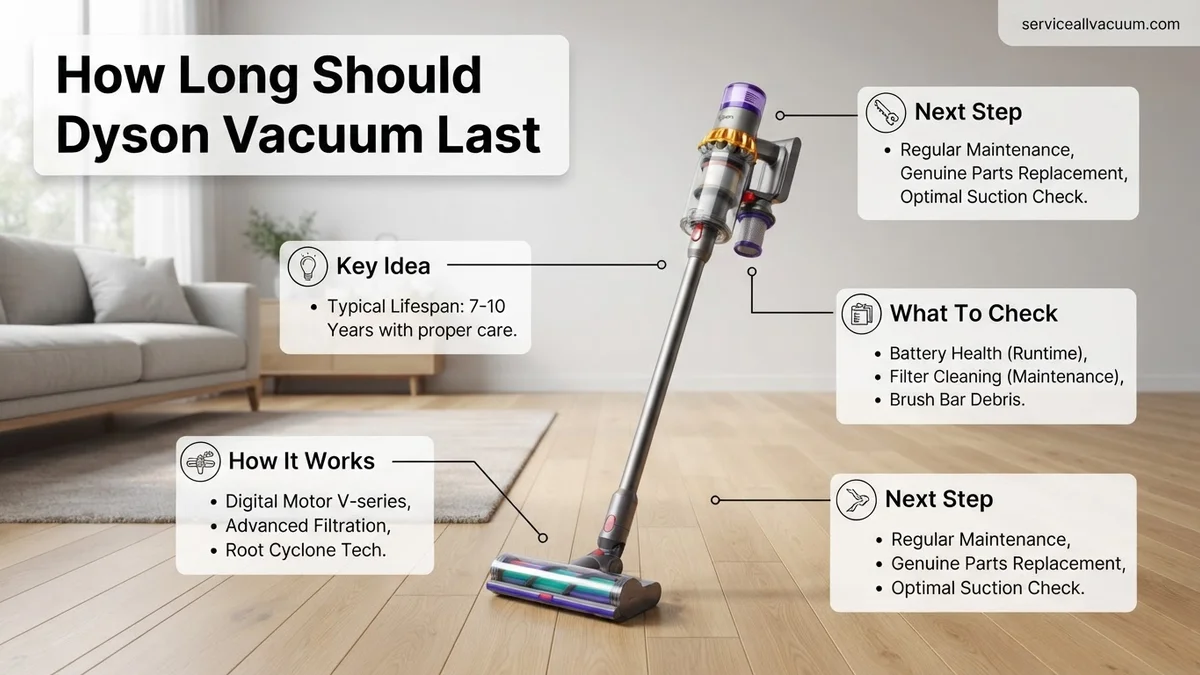
A Dyson vacuum typically lasts anywhere from 5 to 10 years, heavily depending on whether you own a cordless stick or a corded upright model. Cordless models generally see battery degradation around the 3-to-5-year mark, while corded units feature robust mechanical lifespans that often exceed a decade with proper care.
If you are wondering how long your Dyson vacuum should last, you can generally expect a lifespan of 5 to 10 years. Cordless stick models typically run on the lower end of that scale, around 5 to 7 years, largely due to battery degradation. Upright and corded models often push past the 10-year mark because they lack a rechargeable power source.
Investing in a high-end vacuum means you expect it to handle years of daily debris, pet hair, and heavy cleanup. Knowing what shortens its life helps you protect your investment and avoid unexpected replacement costs in 2026.
Key Takeaways
- Cordless Dyson vacuums typically last 5 to 7 years, primarily limited by battery life.
- Corded upright models can easily last 10 years or more due to simpler mechanical designs.
- Lithium-ion batteries naturally degrade over time and usually require replacement every 3 to 4 years.
- Washing filters monthly prevents motor strain and significantly extends the life of the machine.
- Clearing clogs from the wand and cyclone assembly prevents overheating and premature motor failure.
What Causes Dyson Vacuums to Wear Out and Fail
Battery Degradation in Cordless Models
The lithium-ion battery inside cordless vacuums is almost always the first component to fail. These batteries have a finite number of charge cycles, usually lasting between 3 to 5 years of regular use before losing significant capacity. When your runtime drops from forty minutes down to five, the machine feels dead even though the motor is fine. Constantly running your vacuum on Max mode accelerates this chemical aging process.
Motor Burnout and Clogging
Dysons rely on powerful airflow to trap fine dust and drive their multi-cyclone systems. When filters go unwashed or hoses pack tight with hair and debris, the motor has to work much harder. This strain creates excess heat, which can prematurely burn out the motor. Furthermore, sucking up fine powders like drywall dust or baking soda can bypass compromised filters and coat the internal electronics.
- Running on Max mode constantly drains battery health
- Neglected blockages force motors to overheat
- Fine construction dust ruins internal seals
How to Fix and Maintain Your Dyson for Maximum Lifespan
Mastering Filter Maintenance
Your vacuum relies on clean filters to protect the motor and maintain suction power. You should wash your Dyson filter at least once a month with cold water, completely avoiding soap or detergents. The most critical step is letting it dry naturally in a well-ventilated area for a full 24 hours before reinstalling it. Putting a damp filter back into the machine traps moisture, breeds mold, and can instantly short out the motor.
Smart Battery Management
To extend the life of your cordless battery, change your cleaning habits. Use the standard or auto suction modes for daily cleaning instead of relying on the battery-draining Max mode. Do not charge your vacuum immediately after a heavy cleaning session while the battery is still hot. Let it cool down for a few minutes before placing it back on the dock to preserve the internal lithium cells.
- Wash filters monthly and dry for 24 hours
- Never use detergents when cleaning filters
- Let batteries cool before recharging
Step-by-Step Guide to Replacing a Degrading Dyson Battery
When your Dyson vacuum starts dying after just two minutes of runtime, the battery is usually the primary culprit. Fortunately, lithium-ion battery packs are designed to be user-replaceable on most models. According to Dyson manufacturer guidelines, swapping an aging power unit can instantly restore peak suction performance for modern 2026 lineups like the Gen5outsize and V15 Detect.
Preparation and Sourcing
Before beginning the swap, ensure you purchase an authentic replacement battery directly from Dyson or an authorized parts distributor. Counterfeit batteries lack crucial thermal management circuits, which can lead to overheating or sudden failure. Gather a small Phillips-head screwdriver, as older models like the V8 require removing screws, while newer click-in models require no tools at all.
Installation Procedure
- Power off the vacuum completely and disconnect it from any charging docks or wall chargers to prevent electrical shorts.
- Locate the battery securing screws near the handle base on older models, or press the red release button firmly on newer click-in variants.
- Slide the depleted battery downward and away from the main body housing until it detaches entirely.
- Align the rails of the new replacement battery with the tracks on the vacuum handle.
- Slide the fresh unit upward until you hear a secure click, or replace and tighten the retention screws according to your specific model specifications.
What If It Still Doesn’t Work?
If replacing the battery or cleaning the filters fails to resolve suction loss, deeper mechanical issues may be at play. When DIY troubleshooting falls short, consider these fallback steps to determine the next course of action:
- Inspect the cyclone assembly and internal seals for microscopic air leaks or clogs that block airflow to the digital motor bar.
- Test the main motor directly by removing all attachments and running the machine on hard flooring to isolate whether the accessory head is causing an electrical short.
- Contact Dyson customer support or visit an authorized service center to diagnose potential motor degradation or main control board failure.
- Evaluate repair costs against replacement value. Out-of-warranty motor replacements typically range from $120 to $200, which may make purchasing a brand-new 2026 model more economical if your machine is over eight years old.
Conclusion
Understanding how long a Dyson vacuum should last depends heavily on consistent filter maintenance, correct battery charging habits, and prompt replacement of consumable parts. While premium cordless models are built to perform reliably for up to a decade, minor components like filters and batteries will inevitably require attention along the way. According to verified research and expert appliance sources, proactive upkeep prevents premature motor burnout and maximizes your initial investment. Take the next actionable step today by inspecting your Dyson’s filter and running a quick runtime test to see if maintenance is overdue.
❓ Frequently Asked Questions
How long should a Dyson vacuum last under normal daily use?
With regular household use and standard maintenance, a Dyson vacuum should last between 5 and 10 years. Cordless stick models lean toward the 5-to-7-year range due to battery life, while corded uprights often push past the 10-year mark.
Why does my Dyson cordless vacuum die so quickly?
Dyson cordless vacuums rely on lithium-ion batteries that naturally degrade over hundreds of charge cycles. Using MAX mode frequently also drains the battery much faster and accelerates wear.
Can I replace the battery on any Dyson cordless model?
Yes, almost all Dyson cordless models feature replaceable batteries. Newer models utilize a click-in battery design that requires no tools, while older models require removing a couple of screws.
How can I tell if my Dyson motor is dying versus the battery failing?
If the vacuum pulses, smells like burning dust, or fails to turn on even when fully charged, it points to motor or blockage issues. If it simply turns off after a few minutes of use, the battery is the likely culprit.
Does Dyson cover battery degradation under their standard warranty?
Dyson typically covers manufacturing defects in batteries under their warranty period (usually 2 years for cordless models). However, standard chemical aging through normal use is generally excluded.
What is the best way to extend the overall lifespan of a Dyson vacuum?
The most effective maintenance steps include washing the filter monthly, never running the machine with a blocked airway, regularly clearing hair wrap from the brush bar, and storing it at room temperature.