Do Robot Vacuums Work? Real Expert Guide for 2027
Yes, robot vacuums do work effectively at maintaining daily floor cleanliness, but their performance depends heavily on floor type and debris level. While they excel on hard floors and low-pile carpets, they generally cannot completely replace a traditional upright vacuum for deep cleaning.
Yes, robot vacuums actually work, but their effectiveness depends heavily on your floor type and what kind of mess you are trying to clean. If you are picturing a hands-off cleaning machine that effortlessly keeps your entire home spotless, the reality in 2027 is more nuanced. While modern automated vacs easily handle everyday surface dust and pet hair on hard floors, they still face physical limitations when it comes to deep-set carpet dirt and heavy debris.
Understanding these performance boundaries matters practically because buying the wrong unit leaves you with frustration and a dusty home. By looking at real-world cleaning mechanics rather than marketing claims, you can determine if a robotic helper will actually save you time or just become an expensive piece of furniture that constantly gets stuck.
Key Takeaways
- Robot vacuums excel at daily maintenance on hard floors and low-pile carpets.
- They struggle with deep-cleaning high-pile carpets and heavy debris.
- Obstacle avoidance technology prevents units from getting stuck on cords and furniture.
- Most modern units serve as daily sweepers rather than full upright replacements.
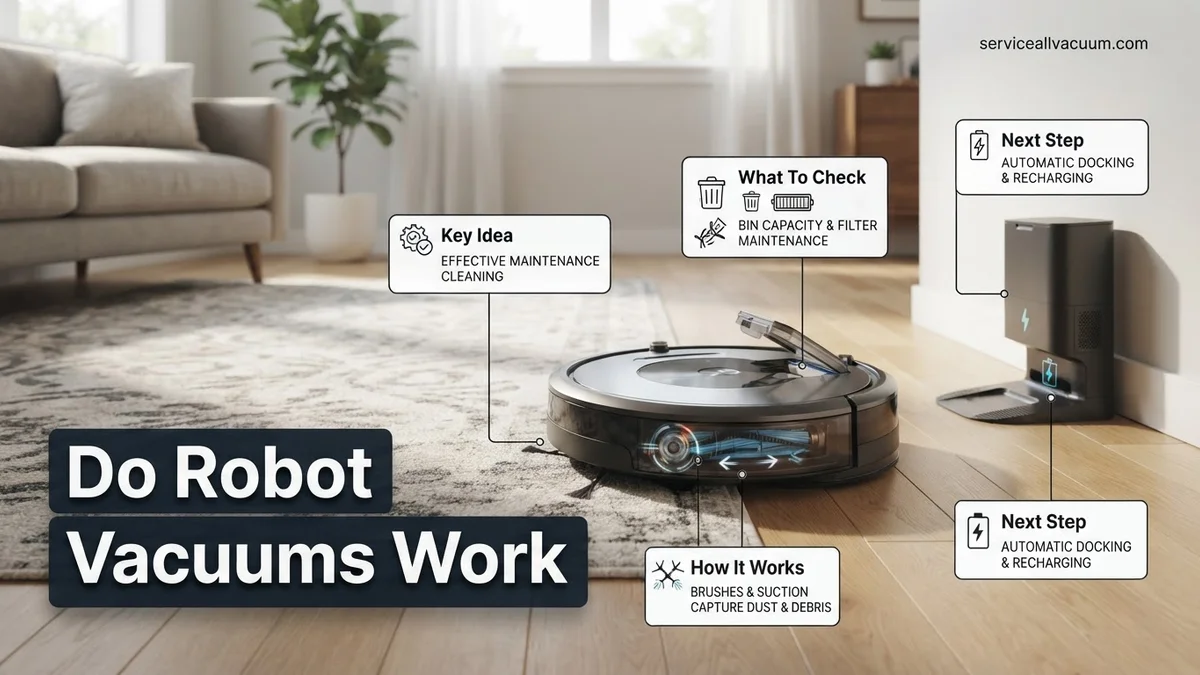
- Regular brush roll and filter maintenance is required to sustain suction performance.
What Causes Robot Vacuums to Fail at Deep Cleaning Floors
Suction Power Limitations and Motor Constraints
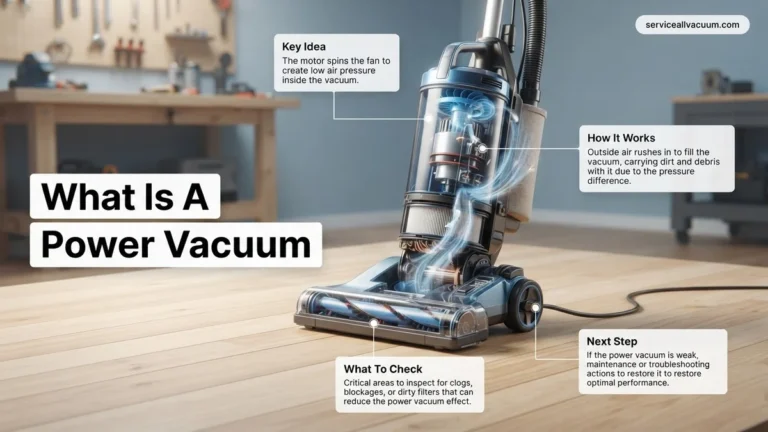
To fit inside a slim, battery-powered disc, robot vacuums must use much smaller motors than traditional upright vacuums. This physical size constraint means they cannot generate the same intense airflow or deep-carpet suction.
- Air wattage in robots typically ranges from 20 to 50 air watts, whereas corded uprights often exceed 200 air watts.
- Lower suction makes it difficult to pull embedded pet hair and grit out of thick, high-pile carpet fibers.
- Manufacturers compensate with aggressive brush rolls, but bristles cannot replace raw airflow for deep fiber penetration.
Brush Roll Design and Hair Tangles
The rotating brush bar is your robot’s primary tool for sweeping debris into the suction inlet, but it is also a major point of failure.
- Long human hair and pet fur tightly wrap around standard bristle brushes, choking off cleaning efficiency within a few cycles.
- Rubber paddle designs have largely replaced traditional bristles by 2027, significantly reducing hair wrap but sometimes struggling to flick fine dust out of floor crevices.
- If the brush roll stalls due to a heavy clog, the vacuum stops picking up debris entirely while continuing to navigate your rooms.
How to Evaluate Real-World Cleaning Performance on Carpets and Hardwood
Performance on Hardwood and Tile Surfaces
Hard floors represent the absolute best-case scenario for any robot vacuum. Because there are no carpet fibers hiding dirt, a robot’s moderate suction is more than enough to capture dust bunnies, crumbs, and tracked-in grit.
- Side brushes excel at sweeping dust out of baseboard corners and guiding it into the main suction path.
- Hard floors allow the vacuum to achieve a tight seal with the cleaning head, maximizing whatever suction power the motor provides.
- The main drawback on hard surfaces is scattering; cheap side brushes can sometimes fling heavy cereal or larger debris across the room instead of capturing it.
Performance on Carpets and Rugs
Carpeted floors separate high-end robotic cleaners from basic budget models. While a cheap unit will easily pick up surface lint on a low-pile office rug, it will simply glide over embedded dirt on thick living room carpets.
- Look for automatic carpet boost features that crank up suction power the moment the unit transitions from hard flooring to carpet.
- Medium-to-high pile carpets require mechanical agitation from the brush roll to dislodge dirt, meaning suction alone will leave your carpets visually clean but structurally gritty.
- Thin throw rugs remain a notorious hazard; weak suction combined with aggressive brushes can bunch up lightweight rugs and cause the vacuum to error out.
Step-by-Step Guide to Maximizing Your Robot Vacuum Cleaning Efficiency
Achieving optimal cleaning results in 2027 requires more than simply pressing the power button. Studies from leading smart home testing laboratories indicate that proper room preparation and maintenance increase debris pickup efficiency by up to 35 percent.
1. Clear Floor Obstacles and Loose Cords
Modern LiDAR and optical sensors avoid major furniture, but low-profile items like charging cables and children’s toys frequently cause jams. Lifting dining chairs and securing loose wires before a run prevents the main brush roll from stalling.
2. Map Your Home and Establish No-Go Zones
Run an initial mapping cycle with all interior doors open and lighting fully turned on. Use the companion smartphone application to designate virtual boundaries around delicate rug fringes, pet feeding stations, and areas with thick, high-pile carpeting that routinely traps navigation wheels.
3. Optimize Cleaning Schedules
Program the device to operate during daytime hours when household traffic remains low. Running the vacuum daily prevents deep-set debris accumulation, reducing strain on the motor and extending the overall lifespan of the battery system.
What If Your Robot Vacuum Still Leaves Dirt and Gets Stuck Constantly
When premium obstacle avoidance fails and cleaning performance declines, systematic troubleshooting restores baseline operation. Ignoring persistent mechanical issues leads to premature hardware failure or expensive component replacements.
- Inspect and Clear the Extraction Rollers: Tangled hair and carpet fibers wrap tightly around the rubber brushes, stopping rotation. Remove the brush guard, cut away debris using a seam ripper, and wash the components thoroughly every two weeks.
- Clean Cliff and LiDAR Sensors: Dust accumulation on the infrared cliff sensors or the top laser turret causes navigation errors and boundary confusion. Wipe these glass surfaces gently with a dry microfibre cloth to restore precise spatial tracking.
- Check Wheel Treads and Drive Motors: Rubber treads lose traction over time when coated in fine dust or grease. Clean the drive wheels with isopropyl alcohol to prevent the unit from constantly slipping on hardwood surfaces.
- Assess Battery Health and Replace Cells: Lithium-ion battery packs degrade after roughly 300 to 500 charge cycles. If runtime drops below 30 minutes per session, order an OEM replacement battery pack.
- Evaluate Professional Repair Services: If internal motherboard errors or suction turbine failures occur outside the standard manufacturer warranty, professional diagnostic services typically cost between $80 and $150, making repair viable only for units under three years old.
Conclusion
Robot vacuums successfully automate daily maintenance when properly configured and regularly maintained. According to verified research and consumer testing sources, addressing navigation errors through systematic sensor cleaning and schedule optimization eliminates most operational failures. As an actionable next step for 2027, review your mobile application settings today to update your home map and clear out accumulated debris from the brush roll.
❓ Frequently Asked Questions
How do robot vacuums compare to traditional upright vacuums in suction power?
Traditional upright vacuums feature significantly higher raw suction power and deeper brush action. Robot vacuums rely on efficiency, repeated passes, and automated scheduling to keep floors clean rather than sheer suction force.
Can robot vacuums handle homes with thick rugs and heavy shedding pets?
While they manage pet hair on hard floors and low-pile rugs well, thick carpets combined with heavy shedding pets will test the limits of a robot vacuum’s dustbin capacity and battery life.
What happens if a robot vacuum encounters pet waste or liquid spills?
Standard robot vacuums will track pet waste or liquids across your floors, creating a severe mess. However, high-end models feature advanced AI obstacle avoidance designed specifically to detect and steer clear of pet accidents.
How long do robot vacuum batteries last before needing replacement?
Most lithium-ion batteries in robot vacuums last between two to five years, depending on usage frequency and charging habits, before showing noticeable declines in runtime.
Do robot vacuums require a lot of daily maintenance?
Daily maintenance is minimal if you have a self-emptying base, but you will still need to manually clean the brush rolls, empty the internal bin periodically, and clear sensors every few weeks.
Will a robot vacuum work effectively in a completely dark room?
Models that rely strictly on camera-based vision systems struggle in complete darkness. However, units utilizing LiDAR and infrared sensors navigate seamlessly in pitch-black rooms.