How To Turn On A Bissell Vacuum: Quick Start Guide 2026
Plug in or charge, locate the power switch, press to start the Bissell vacuum.
If you want a fast, safe start every time, you’re in the right place. I’ve set up, used, and troubleshot dozens of Bissell machines across homes and offices. Below, I’ll show you how to turn on a Bissell vacuum across upright, canister, cordless, robot, and wet/dry models—step by step, with pro tips and real-life advice you can trust.
Before you turn on a Bissell vacuum: quick safety and setup
A minute of prep saves time and avoids issues later. Do these checks first.
- Make sure the dust bin, bag, or tank is seated and latched.
- Confirm filters are installed and dry. Never run with wet foam unless the manual says so.
- Check the power cord for damage. For cordless, confirm the battery is charged and clicked in.
- Clear hair or debris from the brush roll so the motor does not trip a protector.
- Place the vacuum on a flat surface. Keep cables and toys away from the brush.
These steps help you turn on a Bissell vacuum without hiccups and prevent early shutoffs. They also protect motors and belts, which can fail when airflow is blocked.

Identify your Bissell model and its controls
Knowing your type makes everything easier. Most Bissell vacuums share a simple idea: a power button, a recline pedal, and sometimes a brush control. Exact locations vary.
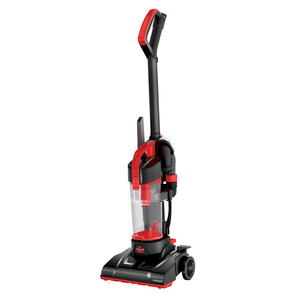
- Upright corded: Power switch is often on the side of the dirt tank or base.
- Canister: On/off is a large button on the canister body; some add a handle switch.
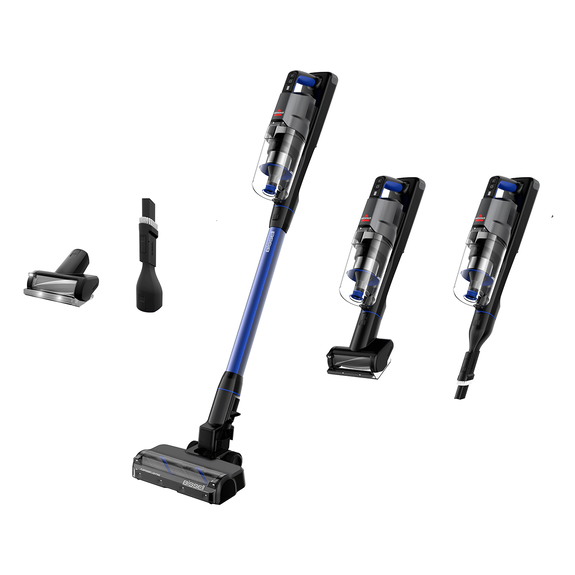
- Cordless stick/handheld: Power button sits on the handle; some need a long press.
- Robot: A small side toggle for master power, plus a Clean/Start button on top.
- CrossWave/wet-dry: Floor-type buttons power the motor when the handle is reclined.
Find your model number on a sticker near the rear base, under the tank, or on the battery. With that, your user guide will show exact switch locations and any safety notes. This helps you master how to turn on a Bissell vacuum tailored to your machine.
How to turn on a Bissell vacuum: upright corded models
This fits lines like CleanView, PowerForce, and many Pet variants.
- Unwind the full cord and plug it into a working outlet.
- Step on the handle release pedal to recline the handle.
- Locate the power switch on the side or base. Press once to power on.
- If your model has a brush roll button, turn it on only for carpets.
- Start moving slowly so the brush does not scatter debris.
Pro tip from the field: if the vacuum does not start, test a lamp in the same outlet. Many “dead” vacuums are fine; the outlet or power strip is not.
Common mistakes to avoid:
- Forgetting to recline the handle. Some models will not engage the brush unless reclined.
- Confusing the brush roll button with the main power switch.
- Using a long, thin extension cord that causes voltage drop and weak suction.
These simple steps cover how to turn on a Bissell vacuum for most uprights in seconds.

How to turn on a Bissell vacuum: canister models
Canisters are simple once you know the foot controls.
- Assemble the hose, wand, and floor tool. Seat each click connection fully.
- Plug the canister into the wall. Avoid daisy-chaining power strips.
- Press the large on/off button on the canister body.
- Some handles add a second rocker switch or suction slider. Set it to On or Max.
- Glide the floor tool forward first to let airflow stabilize.
If the canister will not power up, check that the cord is fully extended to clear the internal cord reel switch. This small detail has saved me a few service calls.

How to turn on a Bissell vacuum: cordless sticks and handhelds
Cordless models need a charged battery and a secure fit.
- Charge the battery to at least two bars. Seat it until it clicks.
- Press and hold the power button for one second if a long press is required.
- Select Low or High mode if your model offers choices.
- For handhelds, attach the nozzle first so the airflow sensor reads correctly.
If the unit blinks and shuts off, reseat the battery and check the filter. A clogged filter makes even new cordless units stall. This is a key tip for how to turn on a Bissell vacuum that is battery powered and keep it running.

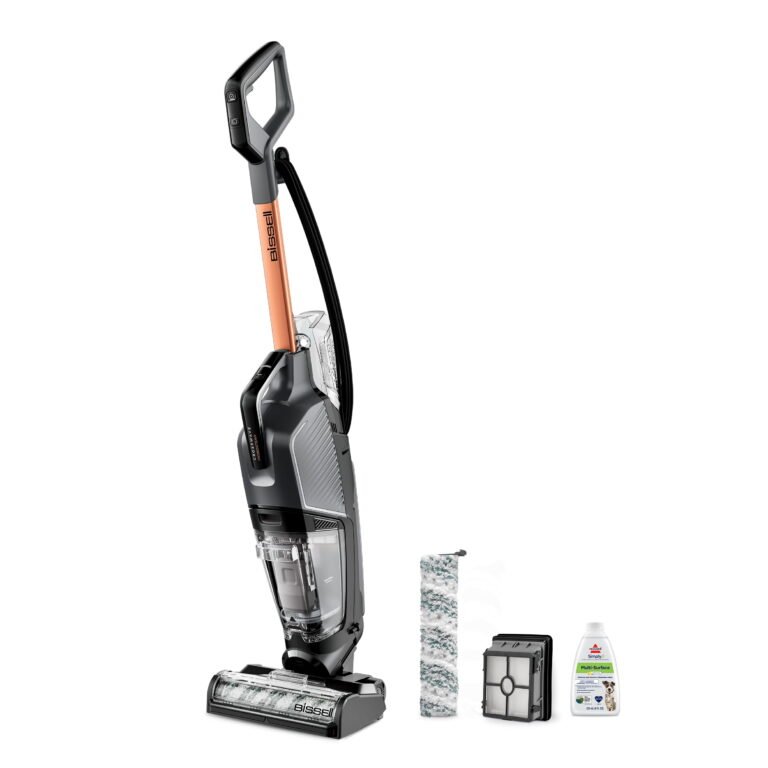
How to turn on a Bissell vacuum: CrossWave and wet/dry combos
These are not standard dry vacuums. They wash and vacuum in one pass.
- Fill the clean water tank to the line and lock it in.
- Plug in the unit and stand it upright.
- Recline the handle, then press Hard Floor or Rug. That powers the motor.
- Hold the trigger only when you want solution to dispense.
If there is no power, re-seat both tanks. Many CrossWave models will not run with a loose tank or if the float is stuck up.

How to turn on a Bissell vacuum: robot models
Robots are the “set and forget” option, but they have two power states.
- Flip the small master switch on the side or bottom to On.
- Place the robot on its dock to charge until the indicator shows ready.
- Press Clean on the robot or in the app to start a cycle.
First use tip: remove any shipping tabs on battery contacts. I have seen brand-new robots seem dead due to that tiny strip of plastic.

If your Bissell vacuum will not turn on: fast troubleshooting
Use this short list before assuming a repair.
- Test the outlet with a lamp. Reset any tripped GFCI in the kitchen or bathroom.
- Try a different outlet without a power strip or surge protector.
- Let the vacuum cool 30 minutes if it shut off mid-clean. Thermal protectors reset with time.
- Empty the bin and clean filters. Heavy clogs starve the motor and cause auto shutoff.
- Reseat the dust bin, tanks, or battery. Look for misaligned latches and contacts.
- Check the brush roll for hair jams and press any brush reset button if your model has one.
- For robots, make sure the master switch is On and the dock has power.
Based on user manuals and standard electrical safety, these steps solve most no-power cases at home. If none help, contact support with your model number and serial.
Common mistakes and pro tips from real-world use
These small habits keep you cleaning, not troubleshooting.
- Do a 10-second pre-check. Bin in? Filters dry? Brush clear? Cord safe?
- Plug in first, then recline. It prevents sparks on worn plugs and saves the cord.
- Start on Low suction on delicate rugs. Then bump to High once fibers settle.
- For cordless, charge after each use. Lithium packs stay healthiest with regular top-ups.
- Clean filters monthly or sooner if you have pets. Your vacuum will start easier and run longer.
From years in homes with pets and kids, these tips make how to turn on a Bissell vacuum quick, safe, and repeatable.
Quick reference: where is the power button?
Use this cheat sheet when you forget the switch location.
- Upright: Side of the dirt tank or lower base, thumb rocker or push button.
- Canister: Large foot button on the canister body; sometimes a second switch on handle.
- Cordless stick: On the handle near your thumb; some need a one-second hold.
- Handheld: Top or side slider near the grip.
- Robot: Clean/Start on top; master toggle on the side or bottom.
- CrossWave: Hard Floor/Rug buttons serve as power when reclined.
Keep this list handy and you will always know how to turn on a Bissell vacuum without hunting around the machine.
Frequently Asked Questions of how to turn on a bissell vacuum
Where is the power button on most Bissell uprights?
It is usually on the side of the dirt tank or base. Look for a rocker or push button near the handle.
Do I have to recline the handle for the vacuum to start?
Most models will power on upright, but the brush often engages only when reclined. Reclining also improves airflow and ease of push.
Why does my Bissell shut off right after I start it?
The thermal protector may trip from a clog, full bin, or jammed brush. Clear blockages, clean filters, and let it cool for 30 minutes.
How do I turn on the brush roll?
Use the brush On/Off button if your model has one, then recline the handle. For models without a button, the brush runs when powered and reclined.
How do I start a Bissell CrossWave?
Plug in, recline the handle, then press Hard Floor or Rug to power the motor. Hold the trigger only when you want solution.
My cordless Bissell clicks but will not stay on. What should I check?
Reseat the battery until it clicks and fully charge it. Clean the filter and check for clogs that can trigger protection.
Is there a reset button for power problems?
Most models do not have a master reset, only a brush reset. Power issues are usually outlet, battery, clog, or thermal cooldown related.
Conclusion
You now know how to turn on a Bissell vacuum across every major type—upright, canister, cordless, robot, and wet/dry. Plug in or charge, check the basics, press the right switch, and you are cleaning in seconds.
Try the steps that match your model today. Keep a simple pre-check routine, and your Bissell will start fast and run strong. Want more practical home care guides? Subscribe, share your model in the comments, and tell me what you want covered next.