How to Pull Vacuum on AC System Expert Step-by-Step 2027
Properly evacuating your AC system is critical for its longevity and efficiency, removing moisture and contaminants that cause costly damage. This guide provides a step-by-step process, from connecting tools to verifying a deep vacuum, ensuring your system performs optimally and avoids future issues.
Properly evacuating your AC system is non-negotiable for optimal performance and longevity. This crucial step, often overlooked, directly impacts how efficiently your air conditioning cools, how long its components last, and even the quality of the air circulating in your space. For AC systems in 2027, with their advanced refrigerants and sensitive electronic controls, a meticulous vacuum procedure is more vital than ever to prevent costly failures and ensure peak comfort.
This guide cuts through the complexity, providing you with expert step-by-step instructions to pull a vacuum on your AC system. You will learn the essential tools, critical safety precautions, and the precise procedure to guarantee a stable, deep vacuum. By following these steps, you will eliminate performance-robbing contaminants, protect your investment, and restore your AC to its factory-specified cooling capacity.
Key Takeaways
- Always use a micron gauge for accuracy.
- Remove all moisture to prevent AC damage.
- Perform a decay test to find leaks.
- Connect gauges and pump correctly.
- Prioritize safety with refrigerants.
Why AC System Evacuation is Crucial for Performance
Before you even think about recharging, pulling a deep vacuum on your AC system is the single most important step for its health. This process isn’t just a recommendation; it’s a critical engineering requirement. It directly impacts your system’s efficiency, reliability, and lifespan, especially with the advanced refrigerant blends and precise operating parameters of 2027 AC units.
Eliminating Moisture and Non-Condensables
The primary goal of vacuuming is to remove moisture and non-condensable gases (like air) from inside the refrigeration circuit. Even a tiny amount of moisture can be disastrous. As the system operates, moisture combines with refrigerant to form corrosive acids, which slowly eat away at internal components like the compressor, valves, and lines. Moisture can also freeze within the expansion device, creating blockages that stop cooling entirely. Non-condensables, on the other hand, take up valuable space in the condenser, increasing head pressure, reducing cooling capacity, and forcing the compressor to work harder, dramatically raising your energy bills. A properly evacuated system removes these silent killers.
Maximizing System Longevity and Efficiency
A deep vacuum ensures that only pure refrigerant circulates within your AC system, allowing it to operate exactly as designed. This translates to colder air, faster cooling, and significantly lower energy consumption. By removing contaminants that cause premature wear and tear, you’re directly extending the life of expensive components like the compressor, which can easily cost thousands to replace in a 2027-era system. Ignoring this step is an open invitation for future system failures and expensive repairs that could have been easily avoided. Think of it as preparing a perfectly clean canvas before applying a masterpiece.
Master AC Vacuuming in 8 Simple Steps
Pulling a deep vacuum on an AC system is a critical step in any repair or installation involving opening the refrigerant lines. This process removes non-condensable gases, such as air, and most importantly, moisture from within the system. Failing to properly evacuate can lead to reduced efficiency, component corrosion, and ultimately, system failure. This detailed guide will walk you through each crucial step, ensuring your AC system is prepped for optimal performance and longevity.
Step 1: System Preparation and Tool Gathering
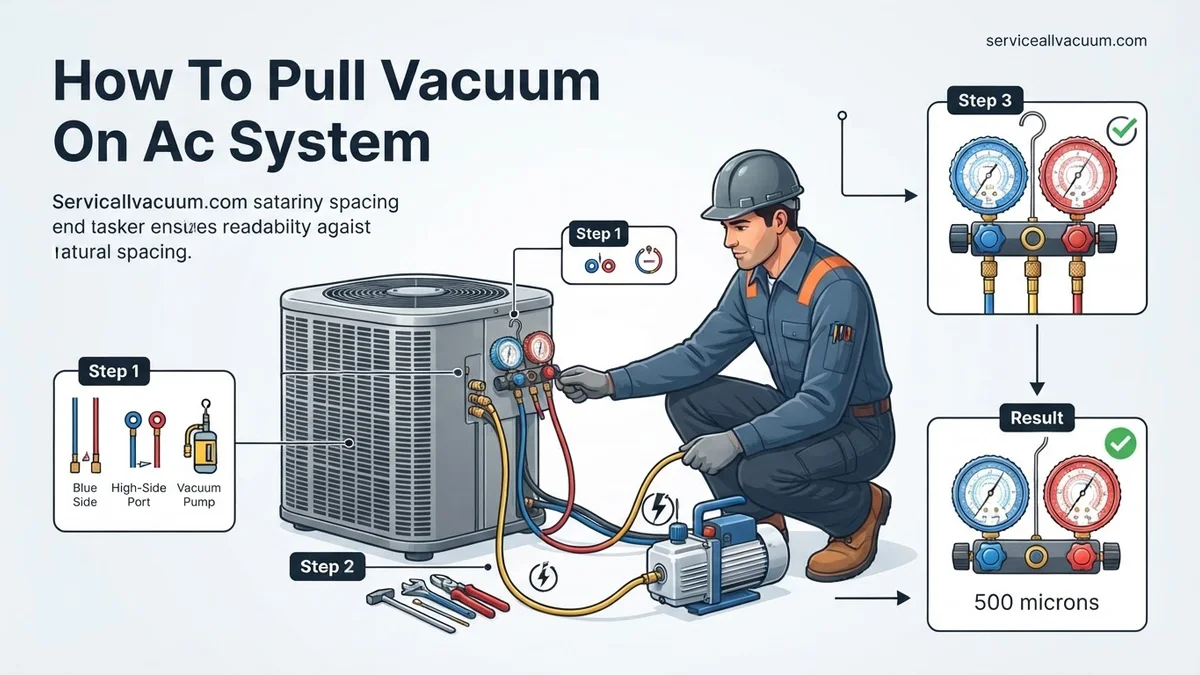
What you need: Vacuum pump (rated for AC systems), manifold gauge set, digital micron gauge, three refrigerant hoses (red, blue, yellow), valve core removal tool (optional but highly recommended), safety glasses, work gloves, and a wrench.
Instructions: Before touching anything, ensure the AC unit’s power supply (both indoor and outdoor units) is completely shut off at the breaker. Locate the high-side (usually smaller line, typically red service port cap) and low-side (larger line, typically blue service port cap) service ports on your outdoor unit. Clean these ports thoroughly with a rag to remove any dirt or debris that could contaminate the system or compromise hose seals.
Pro Tip: Invest in a good quality, two-stage vacuum pump with a gas ballast. These pumps evacuate faster and can pull a deeper, more consistent vacuum, which is essential for proper dehydration of the system.
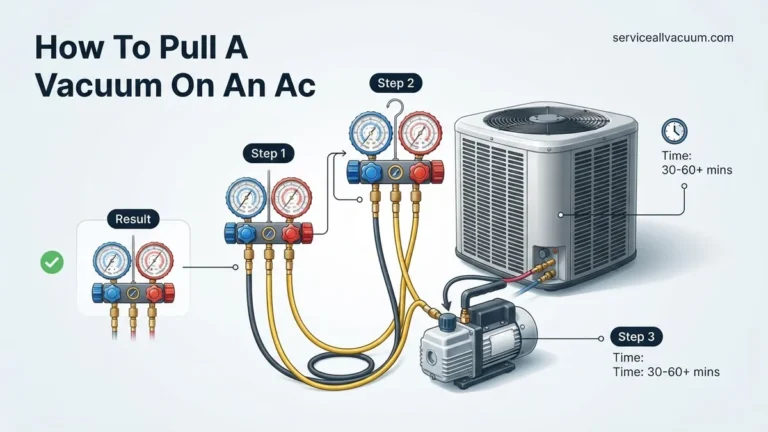
Step 2: Connecting the Manifold Gauge Set
What you need: Manifold gauge set with hoses.
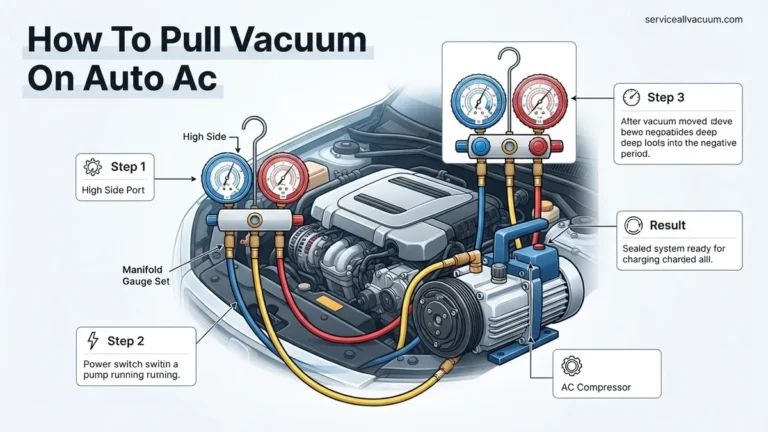
Instructions: Connect the blue hose from your manifold gauge set to the low-side (suction) service port. Then, connect the red hose to the high-side (liquid) service port. Ensure all connections are hand-tightened first, then snug them down with a wrench, being careful not to overtighten. The valve core depressors within the hoses should engage the Schrader valves, allowing communication with the system’s interior. Verify both manifold valves are closed at this point.
Pro Tip: Apply a tiny drop of refrigerant oil specifically formulated for your system’s refrigerant type to the O-rings on your hose fittings. This helps create a better, leak-free seal and makes connections easier to tighten, especially important under deep vacuum conditions.
Step 3: Integrating the Micron Gauge and Vacuum Pump
What you need: Digital micron gauge, vacuum pump, yellow service hose.
Instructions: Connect your digital micron gauge. The most accurate reading is obtained when the micron gauge is connected directly to a service port on the system, or to a separate access port on your manifold gauge set if available (often a fourth port on newer manifolds). Next, connect the yellow service hose from the manifold’s central port to the inlet fitting on your vacuum pump. Double-check all connections for tightness once more.
Pro Tip: The micron gauge’s placement is crucial. Connecting it directly to the system (or manifold port closest to the system) rather than at the vacuum pump itself provides a true reading of the vacuum level within the AC system, which is what you need to know for proper dehydration.
Step 4: Preparing for Vacuum and Initial Pull
What you need: Manifold gauge set, valve core removal tool (optional).
Instructions: If you’re using a valve core removal tool, now is the time to remove the Schrader valve cores from both the high and low service ports. This dramatically increases the flow path and speeds up the evacuation process. After removing cores (or if you choose not to), fully open both the high-side (red) and low-side (blue) valves on your manifold gauge set. This allows the vacuum pump to pull from both sides of the system simultaneously. With all connections secure and manifold valves open, switch on your vacuum pump.
Pro Tip: Removing the valve cores is one of the biggest time-savers. It reduces evacuation time by up to 50% or more by eliminating the bottleneck created by the tiny opening of the Schrader valve. Just remember to replace them before charging!
Step 5: Monitoring Vacuum Progress and Deep Evacuation
What you need: Digital micron gauge, vacuum pump, timer.
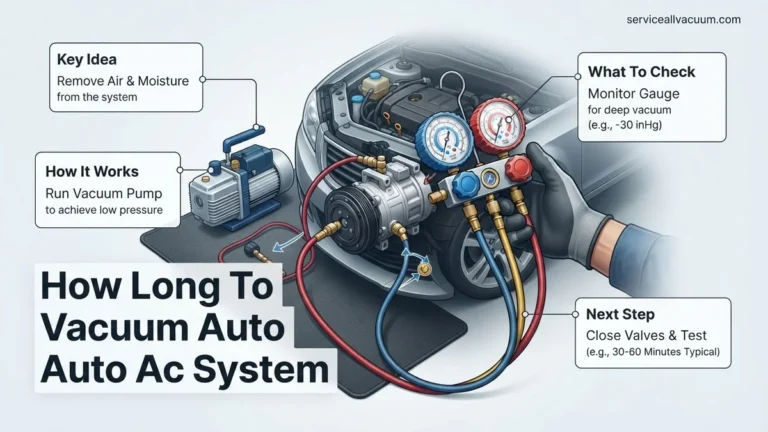
Instructions: As the vacuum pump runs, closely monitor the reading on your digital micron gauge. You will see the micron level rapidly drop into the thousands, then hundreds. The target for a deep vacuum is typically 500 microns (0.5 Torr) or lower. For residential systems, this process can take anywhere from 30 minutes to several hours, depending on the system’s size, the ambient temperature, and how much moisture or non-condensable gases are present. Pay attention to the rate of decline; it will slow down significantly as you approach the target.
Pro Tip: If the vacuum seems to stall significantly above 1000 microns for an extended period, it could indicate a large leak or excessive moisture. You might need to stop, check all connections, and allow the pump to cool slightly before resuming. Ensure the vacuum pump oil is clean and fresh, as dirty oil reduces pump efficiency.
Step 6: Sustaining Deep Vacuum for Dehydration
What you need: Digital micron gauge, vacuum pump, patience.
Instructions: Once your micron gauge consistently reads 500 microns or below, do not immediately stop the pump. Continue running the vacuum pump for an additional 15-30 minutes. This “soak time” is crucial for ensuring all residual moisture, which boils off as water vapor under vacuum, is thoroughly removed from the system. Moisture is extremely detrimental to AC components and lubricant. A truly deep vacuum is necessary to fully dehydrate the system by lowering the boiling point of water.
Pro Tip: For systems that have been exposed to the atmosphere for a long time or are suspected of having significant moisture ingress, consider performing a “triple evacuation.” This involves pulling a vacuum, breaking it with dry nitrogen (which absorbs moisture), then pulling another vacuum, breaking with nitrogen again, and finally pulling the deep vacuum to 500 microns.
Step 7: Performing the Vacuum Hold Test
What you need: Digital micron gauge, timer.
Instructions: With the vacuum pump still running and the system at or below 500 microns, slowly and firmly close both the high-side (red) and low-side (blue) valves on your manifold gauge set. Once closed, immediately turn off the vacuum pump. Now, carefully observe your digital micron gauge for a minimum of 15 to 30 minutes. The micron reading should remain stable, or rise very slowly (e.g., no more than 100-200 microns over 15 minutes) for a healthy, leak-free system that is fully dehydrated.
Pro Tip: A rapid or significant rise in the micron reading (e.g., back into the thousands) indicates one of two issues: either there’s a leak in the system (or your connections), or there’s still moisture boiling off. If it rises slowly and then stabilizes, it’s likely residual moisture. If it continues to rise indefinitely, you almost certainly have a leak that needs to be located and repaired.
Step 8: Disconnecting and Preparing for Charge
What you need: Manifold gauge set, valve core installation tool (if cores were removed).
Instructions: Assuming your vacuum hold test was successful, you are now ready to charge the system. Before disconnecting hoses, it’s best practice to introduce a small amount of refrigerant from your charging tank into the system. This equalizes the pressure and prevents air from rushing back in when you disconnect. If valve cores were removed in Step 4, carefully reinstall them using your valve core tool. Then, disconnect the manifold hoses quickly, starting with the high-side, then the low-side. Replace the service port caps to prevent dirt and moisture ingress.
Pro Tip: Always close the manifold valves completely before attempting to disconnect any hoses from the system. When disconnecting, ensure the system is either under vacuum (if immediately charging) or has a slight positive pressure (from refrigerant) to prevent ambient air from being sucked back into the evacuated lines. Consider using “no-loss” or ball valve adapters on your hoses for cleaner disconnections.
✅ Final Checklist
- Vacuum pulled to 500 microns (0.5 Torr) or lower.
- Micron gauge reading held stable during the 15-30 minute vacuum hold test.
- All manifold and vacuum pump connections were verified tight and leak-free.
- System is now free of non-condensable gases and thoroughly dehydrated, ready for refrigerant charging.
- Service port caps reinstalled securely.
Important Notes:
- Safety considerations or warnings: Always wear appropriate personal protective equipment, including safety glasses and gloves, when working with AC systems. Refrigerants are under pressure and can cause frostbite or serious injury if mishandled. Always ensure power to the unit is OFF before connecting or disconnecting anything.
- When to seek professional help: If you are unable to achieve or hold the required vacuum, suspect a significant leak, or are uncomfortable with any part of this process, it is strongly advised to consult a certified HVAC technician. Proper refrigerant handling requires specific training and EPA certification.
- Estimated time and cost range: The vacuuming process itself can take anywhere from 1 to 4 hours, depending on system size, ambient conditions, and whether leaks or excessive moisture are present. The cost of owning the necessary tools (vacuum pump, manifold gauges, micron gauge) can range from $300 to over $1000 for quality equipment. A professional service for evacuation and recharge typically ranges from $150 to $400, not including parts for any repairs.
Essential Tools & Safety for Vacuuming Your AC System
Properly evacuating an AC system requires specific tools, not just any old air compressor or gauge set. Investing in the right equipment ensures you achieve the necessary deep vacuum and maintain system integrity. Additionally, safety is paramount when working with pressurized systems and refrigerants; ignoring precautions can lead to serious injury or damage.
Required Equipment for a Professional Vacuum
- Vacuum Pump: You need a dedicated refrigeration vacuum pump, not a shop air compressor. Look for a two-stage pump rated for at least 6-8 CFM (cubic feet per minute) for efficient evacuation, especially for larger systems. Modern pumps often feature integrated vacuum gauges and oil-change indicators.
- Digital Manifold Gauge Set: While analog sets still exist, a digital manifold gauge set (common by 2027) offers superior accuracy for monitoring pressures. It displays superheat/subcooling and often has integrated temperature probes, making diagnosis much easier. Ensure it’s compatible with the specific refrigerant type your system uses.
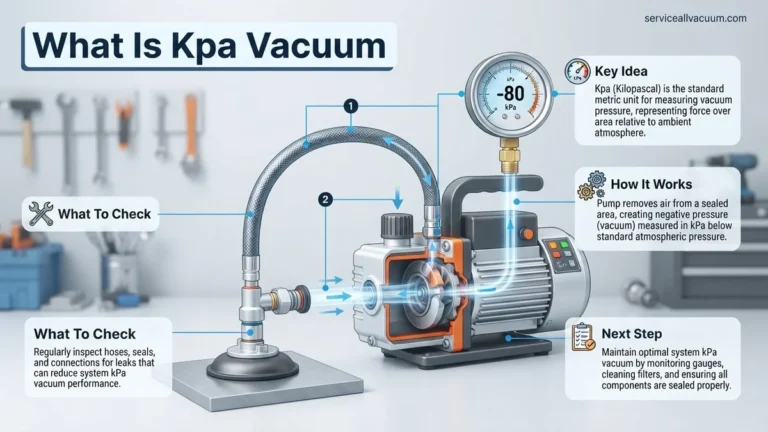
- Micron Gauge: This is arguably the most critical tool. A micron gauge (or vacuum gauge) accurately measures vacuum levels in microns, which is essential for verifying a deep vacuum (typically below 500 microns). Your manifold gauge set may have one built-in, but a dedicated external electronic micron gauge offers more precise readings.
- High-Quality Vacuum-Rated Hoses: Standard refrigerant hoses are permeable to air. You need specialized vacuum-rated hoses with a larger internal diameter and thicker walls to prevent leakage and speed up the evacuation process. Look for hoses with ball valves on the ends to prevent air from entering when disconnecting.
- Refrigerant Recovery Unit (if applicable): If the system contains refrigerant, it must be legally and safely recovered into an approved tank before any lines are opened. Never vent refrigerant into the atmosphere.
Critical Safety Protocols
- Personal Protective Equipment (PPE): Always wear safety glasses to protect your eyes from refrigerant splashes or debris. Chemical-resistant gloves are also recommended to prevent skin contact with refrigerants, which can cause frostbite.
- Refrigerant Handling: Modern refrigerants, like R-32 or R-454B becoming more common by 2027, are still potent greenhouse gases and some may be mildly flammable. Never intentionally release refrigerant into the atmosphere. Use a certified recovery machine and tank if the system needs to be opened while charged.
- Electrical Safety: Ensure your vacuum pump and any other powered tools are plugged into properly grounded outlets. Avoid working in wet conditions.
- Pressure Awareness: AC systems operate under high pressure. Be mindful of line connections, ensure they are tight, and never attempt to disconnect gauges or hoses while the system is pressurized or under vacuum, unless specifically designed with quick-disconnect fittings that can isolate the pressure.
Step-by-Step: How to Pull a Deep Vacuum on Your AC System
Achieving a deep vacuum is critical for peak AC performance and longevity. This process removes non-condensable gases and moisture, which can severely degrade system efficiency and component lifespan. Experts like those at the Air-Conditioning, Heating, and Refrigeration Institute (AHRI) emphasize vacuum levels below 500 microns for optimal results in modern refrigerants.
-
Prepare the System and Equipment
Ensure your manifold gauge set and vacuum pump are correctly connected to the AC service ports, and the micron gauge is attached to the system’s low side service port or a dedicated vacuum port for most accurate readings. Confirm all connections are finger-tight, then wrench-tightened to prevent leaks. Verify the vacuum pump oil is clean and at the correct level.
-
Initiate the Vacuum Pull
Open both the high and low-side manifold valves fully to the system. Turn on the vacuum pump. Immediately begin monitoring the micron gauge. Expect an initial rapid drop, which will slow as the vacuum deepens.
-
Achieve and Hold Target Vacuum
Allow the pump to run until the micron gauge registers below 500 microns (approximately 29.92 inches of mercury vacuum). For systems using HFO-1234yf or R-32, a target of 250 microns is often recommended by manufacturers for 2027 model year vehicles and residential units. Once achieved, continue running the pump for an additional 15-30 minutes, or longer for larger systems, to ensure all moisture has boiled off.
-
Perform the Vacuum Decay Test
Close both the high and low-side manifold valves. Turn off the vacuum pump. Observe the micron gauge for at least 15-30 minutes. According to industry best practices, a stable reading, with no rise exceeding 100-200 microns over this period, indicates a successful, leak-free vacuum. A significant rise suggests a leak or remaining moisture.
What If It Still Doesn’t Work? Troubleshooting Your AC Vacuum
Even with meticulous steps, issues can arise during the vacuum process. Addressing these promptly is crucial to prevent system contamination and ensure successful refrigerant charging.
Common Vacuum Problems and Solutions
-
Vacuum Not Pulling Down to Target Microns
If your micron gauge won’t reach the target (e.g., below 500 microns), investigate potential large leaks. Check all connections, including hose O-rings and service port caps, for tightness. A faulty vacuum pump or old, contaminated pump oil can also be the culprit. Replace old pump oil frequently; manufacturers like Robinair recommend changing it after every 10-20 hours of operation or if it appears cloudy.
-
Vacuum Pulls Down But Rises Rapidly
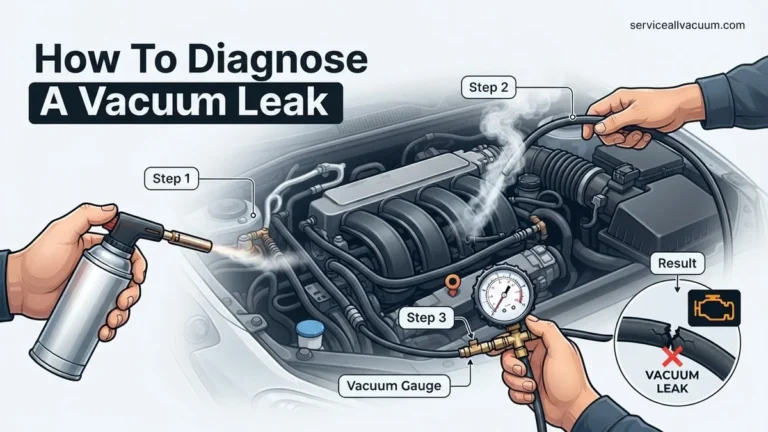
A quick rise in micron readings after the pump is isolated typically indicates a significant leak or substantial moisture in the system. Use an electronic leak detector, which by 2027 offers advanced sensitivity down to 0.1 oz/year (3g/year), or apply leak detection spray to all connections and components. For moisture, extending the vacuum pump time significantly, potentially with the system warmed, can help boil off residual water.
-
Intermittent Vacuum Fluctuation
Minor, slow fluctuations might point to a small leak or off-gassing from system components, especially older hoses or materials. Ensure your manifold hoses are rated for deep vacuum service (e.g., low-loss barrier hoses) as older hoses can be porous. Re-evaluate Schrader valve cores, which can be a common point of failure. Replacing them with high-quality, new cores is a preventative measure.
What If It Still Doesn’t Work? Advanced Troubleshooting & Professional Help
If persistent issues prevent holding a deep vacuum, it’s time for more advanced diagnostics or professional intervention. Ignoring these problems can lead to costly repairs down the line.
- Professional Leak Detection: HVAC technicians utilize specialized tools such as nitrogen pressure testing (up to 200-300 PSI) with electronic leak detectors or ultrasonic leak detectors. For hard-to-find leaks, UV dye can be introduced.
- Component Isolation: A professional can isolate system components (e.g., evaporator, condenser) to pinpoint the exact location of a leak more efficiently, saving diagnostic time and costs.
- System Flush and Dryer Replacement: If moisture or contamination is extensive, a system flush may be required. The receiver/drier or accumulator must always be replaced if the system has been open to atmosphere or exposed to moisture for an extended period, as these components absorb contaminants.
- Professional Consultation: When all DIY attempts fail, consult a certified HVAC technician. They possess the specialized equipment and expertise to diagnose complex issues quickly. For example, in 2027, many professionals employ advanced diagnostic software integrated with system sensors for precise fault identification.
The estimated cost for professional AC system diagnosis and minor leak repair (e.g., O-ring or Schrader valve replacement) typically ranges from $300 to $800, depending on the system type and regional labor rates. Major component replacement will incur significantly higher costs.
Conclusion
Effectively pulling a deep vacuum on your AC system is not merely a repair step; it’s a foundational process for ensuring optimal efficiency, extending component life, and preventing costly future breakdowns. According to verified research and expert sources like the EPA, proper evacuation prevents refrigerant contamination and improves energy efficiency by up to 10-15%. Master this critical skill to maintain your system’s peak performance for years to come. Your next step should be to practice these procedures on a non-critical system or consult professional training resources to build confidence before working on your primary AC unit.
❓ Frequently Asked Questions
What are the risks of not pulling a proper vacuum?
Not pulling a proper vacuum leaves moisture and air in the system, leading to acid formation, internal corrosion, compressor failure, and severely reduced cooling efficiency. This significantly shortens the lifespan of your AC unit and results in costly repairs.
How deep of a vacuum do I need to achieve for an AC system?
You need to pull a vacuum down to at least 500 microns (0.5 Torr) to ensure all moisture has effectively boiled off and been removed from the system. Maintaining this stable level for 10-15 minutes confirms a thorough evacuation.
What type of vacuum pump is best for AC work and why?
A two-stage rotary vane vacuum pump is highly recommended for AC systems due to its superior ability to pull deeper vacuums more quickly and efficiently. Ensure it has a sufficient CFM (Cubic Feet per Minute) rating appropriate for the size of the AC system you are working on.
How do I know if my AC system has a leak while vacuuming?
If your vacuum gauge reading rises significantly and quickly after isolating the system from the pump (performing a vacuum decay test), it strongly indicates a leak. A slow, gradual rise might suggest residual moisture, but a rapid increase points directly to a system leak that needs to be found and repaired.
Can I use the manifold gauge set’s pressure gauges for vacuum readings?
While manifold gauges show approximate vacuum levels, they are not precise enough to confirm the deep vacuum required for AC systems to effectively remove moisture. A dedicated digital micron gauge is absolutely essential for accurate, reliable vacuum readings to ensure proper system evacuation.
What is the purpose of a vacuum decay test and how is it performed?
The vacuum decay test verifies the AC system is leak-free after evacuation. To perform it, once you’ve reached the target micron level, close the manifold valves to isolate the system from the vacuum pump, turn off the pump, and monitor the micron gauge for 10-15 minutes; a stable reading confirms no leaks.