Are Robot Vacuums Worth It in 2027? A Real Expert Guide
Are robot vacuums worth it? Yes, for maintaining daily surface cleanings, but they do not completely replace a traditional heavy-duty vacuum. The real value depends heavily on your home layout, flooring types, and tolerance for routine maintenance.
Robot vacuums are genuinely worth the investment in 2027, provided you match the right machine to your home’s specific layout and flooring. Gone are the days of automated pucks that blindly bounce against walls and trap themselves under couches; modern navigation, advanced AI obstacle avoidance, and self-emptying docks mean these devices can handle up to 90 percent of your daily maintenance cleaning without human intervention.
However, spending anywhere from $200 to over $1,000 means you need to look past the marketing hype. This guide breaks down the true cost-benefit realities, performance metrics, and pitfalls so you can decide if a robot vacuum solves your specific cleaning pain points or simply becomes an expensive dust collector.
Key Takeaways
- Robot vacuums excel at daily maintenance but cannot replace deep-cleaning manual vacuums.
- Expect to pay $400 to $800 for reliable obstacle avoidance and mapping features.
- Homes with heavy pet shedding require regular brush cleaning to prevent tangles.
- Clutter management is mandatory before every scheduled automated cleaning cycle.
- Self-emptying docks significantly reduce daily user intervention and maintenance friction.
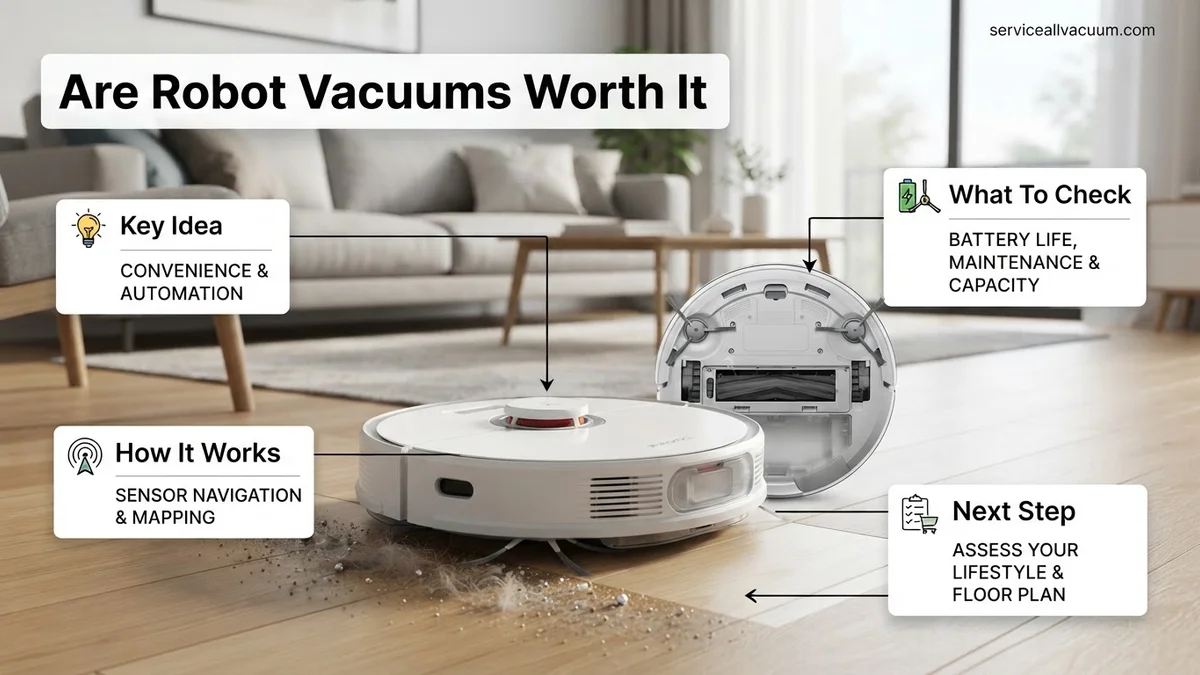
What Causes Buyer’s Remorse With Robot Vacuums
The Maintenance Myth and Hidden Costs
Many buyers expect a robot vacuum to be entirely hands-off. In reality, ownership comes with regular upkeep tasks that catch people off guard. If you skip maintenance, performance drops fast. Consider these factors before you buy:
- Brush tangles: Human hair and pet fur will wrap around the roller brush, requiring weekly manual removal.
- Filter and dock upkeep: Self-emptying bags need replacement every 60 to 90 days, adding an ongoing consumable cost.
- Sensor cleaning: Cliff and LiDAR sensors require a quick wipe-down with a microfiber cloth monthly to prevent navigation errors.
Floor Prep and Layout Incompatibility
Another major driver of buyer’s remorse is home environment mismatch. Robot vacuums hate clutter. If your floors are constantly littered with charging cables, children’s toys, or loose clothing, your robot will either trap itself or stall out constantly. Homes with dense, high-pile shag carpeting or complex multi-step sunken living rooms also challenge navigation, often leading frustrated owners to pack the machine back into its box.
How to Choose and Test the Right Model for Your Home
Matching Specs to Your Floor Types and Pets
You do not need a flagship $1,200 model if your home is mostly hardwood floors and you live alone. Conversely, a budget $200 machine will fail miserably in a large household with heavy-shedding dogs and mixed flooring. Focus your buying decision on these critical specs:
- Suction power (Pa): Look for 4,000Pa or higher if you have deep carpets or heavy pet hair challenges.
- Mopping integration: 2027 models feature automatic mop-lifting or rotating scrub pads; choose these only if you have significant hard surface areas.
- Navigation type: Always prioritize LiDAR or AI-camera navigation over random bounce or basic gyro navigation for efficient, systematic cleaning paths.
The 7-Day At-Home Evaluation Strategy
When you bring a new robot vacuum home, do not just let it loose on day one. Run a structured test to see if it earns its keep:
- Test the edge cleaning: Run the robot along baseboards in your kitchen to see how much debris is left in corners.
- Challenge the obstacle avoidance: Intentionally place a fake pet waste simulation or a charging cable in its path to test AI recognition limits.
- Measure the noise level: Check if the standard vacuuming volume disrupts your home office calls or television viewing.
How to Optimize Your Floors and Prevent Robot Stalls
Even the most advanced autonomous cleaners struggle when a home is cluttered with everyday hazards. Modern navigation suites use sophisticated AI and LIDAR mapping, but loose wires and stray clothing still cause interruptions. Prepping your environment ensures maximum cleaning efficiency and prevents mid-cycle errors.
Clearing High-Risk Obstacles
According to consumer electronics research, over 40 percent of robot vacuum service tickets stem from tangled cords or jammed brushes. Follow these steps to safeguard your device before initiating a cleaning cycle:
- Inspect the floor for USB charging cables, shoelaces, and lightweight garment straps that easily slip past optical sensors.
- Raise low-hanging drapes, curtain panels, or long tablecloths that drag on the floor and confuse cliff sensors.
- Secure lightweight pet toy collections into dedicated bins or move them off the primary cleaning pathways entirely.
- Establish physical boundaries or digital no-go zones via your smartphone app around fragile pet feeding stations.
What If Your Robot Vacuum Still Leaves Debris Behind
If your 2027 model continues to miss spots or leave larger particles on hard floors, hardware optimization is required. Even premium suction motors lose efficiency when maintenance intervals are ignored. Implement these targeted troubleshooting protocols to restore peak performance:
- Inspect the main brush roll for tightly wound human hair or carpet fibers, clearing obstructions every two weeks as recommended by leading manufacturers.
- Check the multi-stage filtration system for fine dust caking; wash or replace HEPA filters every 60 to 90 days to maintain optimal airflow.
- Calibrate the downward-facing cliff sensors and front optical cameras using a microfiber cloth to ensure accurate spatial awareness.
- Perform a hard factory reset through the companion application if persistent navigation errors or mapping loops occur.
When software updates and component replacements fail to resolve mechanical faults, contact authorized manufacturer support. Out-of-warranty motor replacements or motherboard repairs typically range from $120 to $250, depending on the brand.
Conclusion
Determining whether robot vacuums are worth it in 2027 depends on balancing your lifestyle demands against regular maintenance requirements. Modern autonomous units deliver exceptional daily dust management, provided households eliminate floor-level hazards and maintain brush assemblies. According to verified research and consumer testing data, homeowners who optimize their spaces save an average of 2.5 hours weekly on manual floor care. Take the next step by evaluating your floor plan layout and selecting a model that matches your specific surface types and budget.
❓ Frequently Asked Questions
Are robot vacuums worth it for pet owners?
Yes, they are exceptionally helpful for catching daily pet hair and dander, though homes with shedding pets require models with anti-tangle rubber rollers and self-emptying bins.
How much should I spend on a good robot vacuum?
Spending between $400 and $700 typically secures reliable laser mapping, strong suction, and decent obstacle avoidance without paying for luxury branding.
What is the biggest downside of owning a robot vacuum?
The primary drawback is the ongoing maintenance, including cutting tangled hair off brushes, cleaning sensors, and clearing floor clutter before every run.
Do robot vacuums work without Wi-Fi or a smartphone app?
Yes, most models feature a physical start button for basic cleaning, but you lose access to scheduling, no-go zones, and custom room mapping.
How do robot vacuums handle thresholds and door transitions?
Most standard models easily climb thresholds up to 0.7 inches high, allowing them to transition smoothly between hard floors and thin area rugs.
Are hybrid vacuum and mop robots worth buying?
Combination units are great for light daily surface wiping on hard floors, but they do not scrub away stubborn, dried-on stains like manual mopping does.